Google Flow कैसे Use करें: Beginners के लिए Step-by-Step Guide
Pawan Joshee··7 min read
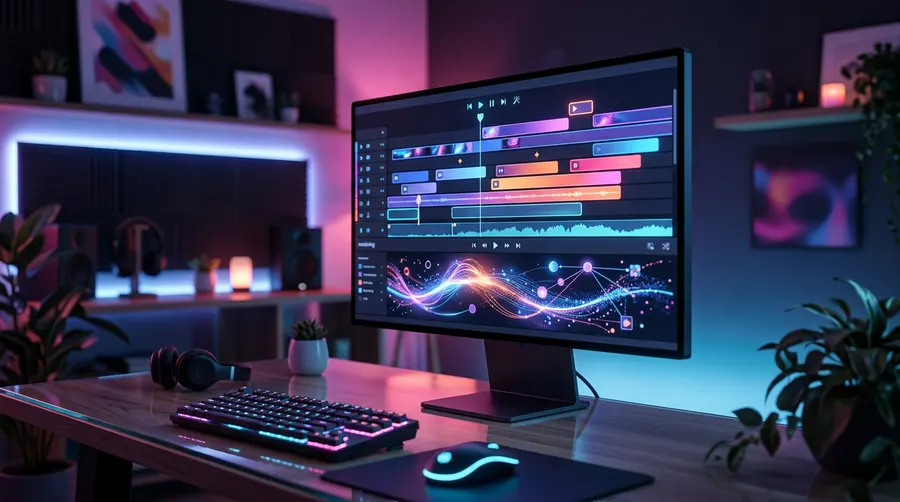
Google Flow Google का एक advanced, web-based AI creative studio है जिसे filmmakers, content creators और designers के लिए खास तौर पर बनाया गया है। Google के powerful Veo 3.1 और Gemini models पर आधारित यह workspace आपको synchronized native audio के साथ cinematic videos generate करने, consistent characters बनाने और एक timeline editor का उपयोग करके पूरी scenes को एक साथ जोड़ने की सुविधा देता है। चाहे आप Instagram Reels के लिए vertical videos बना रहे हों या फिर widescreen short films पर काम कर रहे हों, Google Flow आपको text prompts और reference images को high-quality, realistic video content में बदलने का एक उपयोगी platform प्रदान करता है।
इसे इस्तेमाल करने के लिए, आप अपने desktop browser पर flow.google पर जा सकते हैं या फिर official Google Flow mobile app download कर सकते हैं। हालांकि, चूंकि यह एक experimental और premium tool है, इसलिए आपको कुछ eligibility requirements को पूरा करना होगा: आपकी उम्र 18 वर्ष या उससे अधिक होनी चाहिए, आप एक supported region में होने चाहिए, और आपके पास Google AI Plus, Pro, या Ultra का active subscription होना चाहिए। एक बार जब आप इन शर्तों को पूरा कर लेते हैं, तो आपको अपने videos generate, edit, और extend करने के लिए monthly credits मिलते हैं।
Step 1: Account Setup और Eligibility Requirements
वीडियो बनाना शुरू करने से पहले, आपको अपना account set up करना होगा और अपनी eligibility verify करनी होगी। Google Flow अभी beta phase में है और यह केवल specific users के लिए ही उपलब्ध है।
- अपने desktop पर
flow.googleopen करें। हालांकि इसका एक mobile app भी उपलब्ध है, लेकिन बेहतरीन editing experience और features के लिए Google desktop Chromium-based browser जैसे Google Chrome का उपयोग करने की सलाह देता है। - अपने Google Account का उपयोग करके sign in करें।
- सुनिश्चित करें कि आपका Google account age verification पूरा हो चुका है और आपकी उम्र 18 साल या उससे अधिक है।
- एक supported plan subscribe करें: Google AI Plus, Google AI Pro, या Google AI Ultra। Pro और Ultra subscribers को advanced Gemini Omni Flash model का access और अधिक monthly credits मिलते हैं। यदि आपके credits समाप्त हो जाते हैं, तो आप अपने billing portal से अतिरिक्त AI credit packs खरीद सकते हैं।
Step 2: New Project बनाना और Workspace का Tour
Sign in करने के बाद, आपको Google Flow का dashboard दिखाई देगा। शुरुआत करने के लिए इन steps को follow करें:
- एक blank workspace खोलने के लिए New Project पर क्लिक करें।
- अपने project को एक नाम दें ताकि आप इसे बाद में आसानी से ढूंढ सकें। आपके projects आपके desktop और Google Flow mobile app के बीच automatically sync हो जाते हैं।
- Workspace interface को समझें। Left side में आपको अपनी Library मिलेगी, जहां आपके uploaded images, generated videos और reference assets store होते हैं।
- Bottom (नीचे) में आपको Scenebuilder timeline मिलेगी, जहां आप एक लंबी कहानी बनाने के लिए कई clips को एक क्रम में arrange कर सकते हैं।
- Side panel में आप Flow TV भी देख सकते हैं, जो एक interactive showcase है। यहाँ आप अन्य creators द्वारा बनाए गए clips देख सकते हैं और उनके द्वारा उपयोग किए गए exact prompts को भी copy कर सकते हैं।
Step 3: Text-to-Video Generation और Model Choice
अपना पहला AI video बनाना बेहद आसान है। Google Flow text को video में बदलने के लिए Veo 3.1 model family का उपयोग करता है।
- स्क्रीन के नीचे दिए गए prompt box को ढूंढें।
- अपनी आवश्यकता के अनुसार Veo 3.1 model variant का चयन करें। यहाँ आपको तीन मुख्य विकल्प मिलते हैं:
- Veo 3.1 Lite: यदि आप केवल quick drafts बनाना चाहते हैं या ideas test करना चाहते हैं, तो यह बेस्ट है।
- Veo 3.1 Fast: यह rapid generation के लिए optimized है, जो social media creators के लिए बहुत उपयोगी है।
- Veo 3.1 Quality: यह deep physics, realistic lighting और high-fidelity cinematic rendering प्रदान करता है।
- अपना aspect ratio चुनें: 16:9 (YouTube/films के लिए landscape), 9:16 (Instagram Reels/YouTube Shorts के लिए portrait), या Auto।
- Video की duration set करें। आप 4 seconds, 6 seconds, या 8 seconds की duration चुन सकते हैं।
- अपना prompt लिखें। चूंकि Veo 3.1 native audio generate कर सकता है, इसलिए आपको visual details के साथ-साथ sound effects भी describe करने चाहिए।
नीचे दिए गए table में models के settings और उनके credit costs की तुलना की गई है:
| Model Variant | Credit Cost | Best For | Typical Durations |
|---|---|---|---|
| Veo 3.1 Lite | 10 credits / clip | Quick drafts, testing concepts | 4s, 6s, 8s |
| Veo 3.1 Fast | 20 credits / clip | Social media content, fast iterations | 4s, 6s, 8s |
| Veo 3.1 Quality | 100 credits / clip | Final renders, cinematic quality | 4s, 6s, 8s |
एक high-quality cinematic shot और sound generate करने के लिए इस prompt template का उपयोग करें:
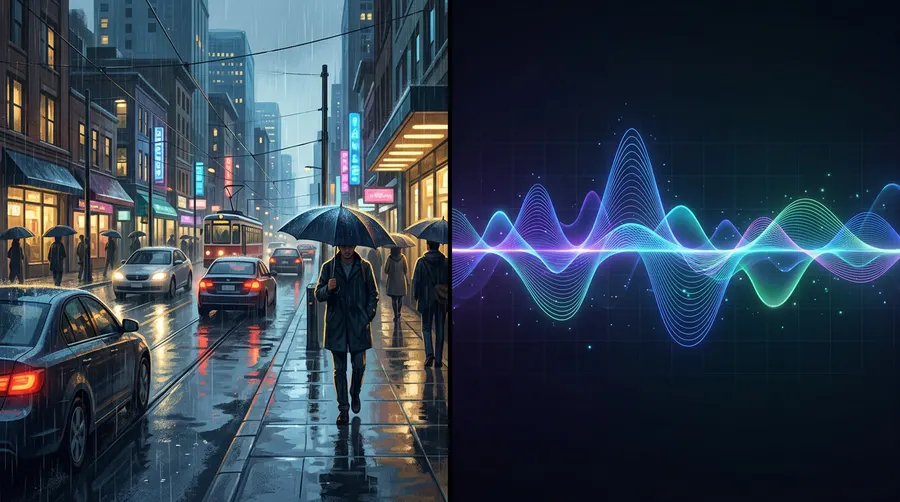
Cinematic shot of a busy street in Mumbai during a rainy evening, neon signs reflecting on wet asphalt, people walking with colorful umbrellas. Camera slowly pans right. Audio: Soft rain pattering, distant city traffic, and car honks.
Step 4: Character Consistency के लिए Frames-to-Video और Ingredients का उपयोग
यदि आप एक कहानी या narrative film बनाना चाहते हैं, तो आप केवल text prompts पर निर्भर नहीं रह सकते, क्योंकि हर shot में character का चेहरा बदल जाएगा। Google Flow इस समस्या को हल करने के लिए दो advanced image-guided modes देता है: Frames-to-Video और Ingredients।
Frames-to-Video (Start और End Frames)
यह mode आपको camera motion और action पर पूरा control देता है।
- Prompt area में एक starting image (Frame A) upload करें।
- यदि आवश्यक हो, तो एक ending image (Frame B) भी upload करें।
- Transition या action को describe करते हुए एक text prompt लिखें।
- Google Veo 3.1 Frame A से Frame B के बीच की motion को smoothly animate कर देगा।
Ingredients (Character और Style References)
अपने characters, objects, या art styles को अलग-अलग scenes में consistent रखने के लिए:
- Ingredients section में अधिकतम तीन reference images upload करें (जैसे कि आपके character की अलग-अलग angles वाली photos)।
- Action और environment को describe करते हुए एक prompt लिखें।
- Model इन "ingredients" का विश्लेषण करेगा और character के facial features और clothing style को lock करके एक नया video generate करेगा।
अपने character की reference image को ingredient के रूप में upload करने के बाद इस prompt को try करें:
The character from the reference image, wearing a leather jacket, walking through a futuristic cyberpunk market, looking around in awe. Soft blue and pink neon lighting. Audio: Ambient electronic drone, bustling crowd chatter.
Step 5: Scenebuilder और Clips को Extend करना
एक single Veo 3.1 clip की सीमा 8 seconds तक होती है, लेकिन आप scenes को extend करके और उन्हें Scenebuilder timeline पर arrange करके बहुत लंबे videos बना सकते हैं।
Scene को Extend कैसे करें?
बिना continuity तोड़े एक clip से दूसरे clip में seamless transition बनाने के लिए:
- अपना पहला video clip generate करें।
- Video player पर hover करें, clip के बिल्कुल आखिरी frame पर जाएं, और top right corner में Save Frame पर क्लिक करें।
- यह आपके final frame को एक नई image के रूप में आपकी Library में save कर देगा।
- इस saved frame को अपनी अगली video generation के starting position में drag करें।
- अगले action को describe करते हुए prompt लिखें। नया clip ठीक वहीं से शुरू होगा जहां पिछला खत्म हुआ था, जिससे transition बिल्कुल natural लगेगा।
Scenebuilder Timeline का उपयोग करना
- अपने generated clips को Library से खींचकर स्क्रीन के नीचे दिए गए Scenebuilder timeline पर लाएं।
- उन्हें story के अनुसार chronological order (समय के क्रम) में arrange करें।
- Export करने से पहले आप अपनी पूरी sequence को play करके देख सकते हैं कि आपकी कहानी का flow कैसा है।
Step 6: Exporting और Watermark Details
जब आप अपने scene से पूरी तरह संतुष्ट हो जाएं:
- Clip या compiled timeline sequence पर दिए गए Download button पर क्लिक करें ताकि video आपके device में save हो सके।
- Google Flow videos को standard MP4 format में high-definition में export करता है।
- Important Watermark Policy: Google Flow में generate किए गए हर video में एक invisible SynthID watermark होता है, जिससे यह पता चलता है कि इसे AI द्वारा बनाया गया है। इसके अलावा, India, South Korea और Vietnam के creators के लिए output video में एक visible watermark automatically apply हो जाता है। इन watermarks को हटाने या bypass करने का प्रयास न करें, क्योंकि यह Google की safety guidelines और terms of service के खिलाफ है।
FAQ
क्या Google Flow का उपयोग करना फ्री है?
नहीं, Google Flow का उपयोग करने के लिए Google AI Plus, Pro, या Ultra का paid subscription आवश्यक है, जो आपको हर महीने निश्चित AI credits देता है। यदि आपके credits खत्म हो जाते हैं, तो आप extra credit packs खरीद सकते हैं। हालांकि, कुछ independent platforms बिना paid subscription के limited free trials के साथ Veo 3.1 models चलाने की सुविधा देते हैं।
मैं Google Flow में 100% character consistency कैसे बनाए रख सकता हूँ?
Character consistency बनाए रखने का सबसे अच्छा तरीका यह है कि आप Ingredients panel में अपने character की clear multi-angle reference images (character sheets) upload करें। इसके अलावा, "Save Frame" trick का उपयोग करके पिछले clip के आखिरी frame को अगले clip के starting point के रूप में इस्तेमाल करें।
क्या मैं Google Flow के अंदर audio और dialogue generate कर सकता हूँ?
हाँ! Google Flow के अंदर Veo 3.1 की सबसे बड़ी खासियत इसका native audio generation feature है। जब आप अपना text prompt लिखते हैं, तो आप background music, ambient sounds, या sound effects को describe कर सकते हैं, और model video के visuals के साथ match करता हुआ audio generate कर देगा।
यदि मेरा prompt safety filters द्वारा block हो जाता है तो मुझे क्या करना चाहिए?
Google Flow में सुरक्षा के कड़े नियम (safety guardrails) हैं, जिससे कभी-कभी false positives भी हो सकते हैं। यदि आपका prompt block हो जाता है, तो संवेदनशील शब्दों को हटाकर उसे rephrase करने का प्रयास करें, किसी वास्तविक व्यक्ति के नाम का उपयोग न करें और अधिक कलात्मक व विवरणात्मक (descriptive) भाषा का उपयोग करें। आप Google को अपने filters सुधारने में मदद करने के लिए app के अंदर से direct feedback भी भेज सकते हैं।