Google Flow Kaise Use Kare: Step-by-Step Guide for Beginners
Pawan Joshee··7 min read

Google Flow is Google's advanced, web-based AI creative studio designed specifically for filmmakers, content creators, and designers. Built on Google's powerful Veo 3.1 and Gemini models, this workspace lets you generate cinematic videos with synchronized native audio, create consistent characters, and piece together complete scenes using a timeline editor. Whether you are creating vertical reels for Instagram or working on a widescreen short film, Google Flow provides a unified platform to turn text prompts and reference images into high-quality, realistic video content.
To get started, you can access the tool by visiting flow.google on a desktop browser or by downloading the official Google Flow mobile app. However, because it is an experimental, premium tool, you must meet certain eligibility requirements: you must be 18 or older, reside in a supported region, and have an active subscription to Google AI Plus, Pro, or Ultra. Once you meet these criteria, you will receive monthly credits to generate, edit, and extend your videos.
Step 1: Account Setup and Eligibility Requirements
Before you can start generating videos, you need to set up your account and verify your eligibility. Google Flow is currently in a beta phase and is restricted to specific users.
- Go to
flow.googleon your desktop. While there is a mobile app, Google recommends using a desktop Chromium-based browser like Google Chrome for the best editing experience. - Sign in using your Google Account.
- Ensure your Google account age is verified to be 18 years or older.
- Subscribe to a supported tier: Google AI Plus, Google AI Pro, or Google AI Ultra. Pro and Ultra subscribers get access to the advanced Gemini Omni Flash model and a larger pool of monthly credits. If you run out of credits, you can purchase additional AI credit packs directly through your billing portal.
Step 2: Creating a New Project and Workspace Tour
Once logged in, you will see the Google Flow dashboard. To begin:
- Click on New Project to open a blank workspace.
- Name your project so you can easily find it later. Your projects automatically sync between your desktop and the Google Flow mobile app.
- Take a look at the interface. On the left, you will find your Library, which stores your uploaded images, generated videos, and reference assets.
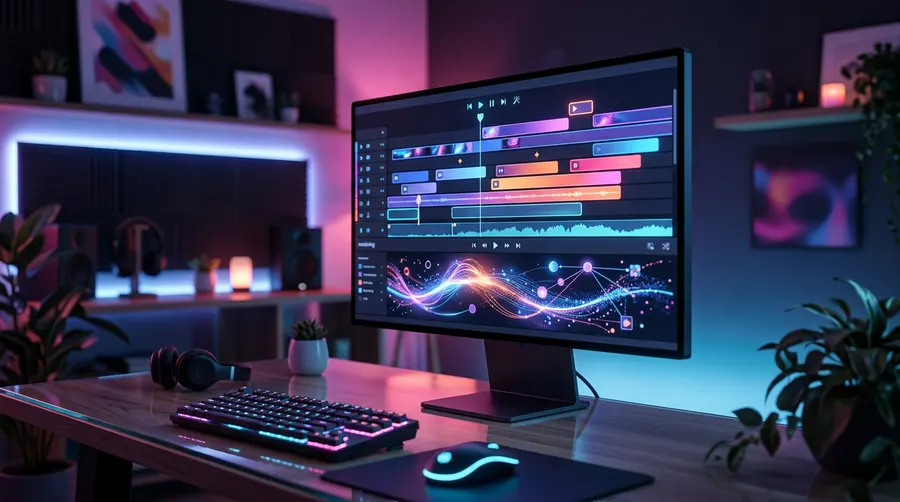
- At the bottom, you have the Scenebuilder timeline, where you can arrange multiple clips to build a continuous story.
- On the side, you can also access Flow TV, an interactive showcase where you can watch clips created by other filmmakers and inspect the exact prompts they used.
Step 3: Text-to-Video Generation and Model Choice
Generating your first video is simple. Google Flow uses the Veo 3.1 model family to convert text into video.
- Locate the prompt box at the bottom of the screen.
- Select your desired Veo 3.1 model variant. You can choose from three main options depending on your speed and quality needs:
- Veo 3.1 Lite: Best for quick drafts and testing ideas.
- Veo 3.1 Fast: Optimized for rapid generation, ideal for social media creators.
- Veo 3.1 Quality: High-fidelity cinematic rendering with deep physics and lighting detail.
- Choose your aspect ratio: 16:9 (landscape for YouTube/films), 9:16 (portrait for Instagram Reels/YouTube Shorts), or Auto.
- Set your clip duration. You can choose between 4 seconds, 6 seconds, or 8 seconds.
- Write your prompt. Because Veo 3.1 generates native audio, you should describe both the visuals and the sounds you want.
Here is a comparison of the model settings and their credit costs:
| Model Variant | Credit Cost | Best For | Typical Durations |
|---|---|---|---|
| Veo 3.1 Lite | 10 credits / clip | Quick drafts, testing concepts | 4s, 6s, 8s |
| Veo 3.1 Fast | 20 credits / clip | Social media content, fast iterations | 4s, 6s, 8s |
| Veo 3.1 Quality | 100 credits / clip | Final renders, cinematic quality | 4s, 6s, 8s |
Use this prompt template to get a high-quality cinematic shot with sound:
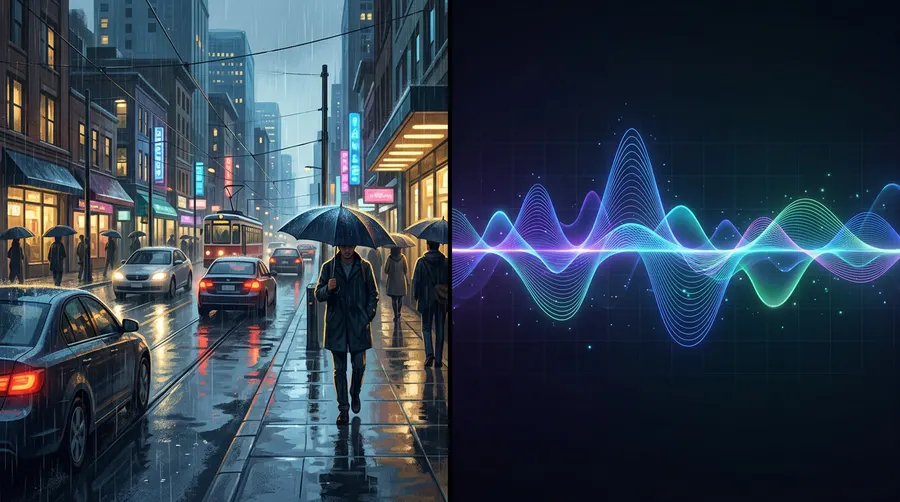
Cinematic shot of a busy street in Mumbai during a rainy evening, neon signs reflecting on wet asphalt, people walking with colorful umbrellas. Camera slowly pans right. Audio: Soft rain pattering, distant city traffic, and car honks.
Step 4: Using Frames-to-Video and Ingredients for Character Consistency
If you want to create a narrative film, you cannot rely on text prompts alone because the characters' faces will change with every shot. Google Flow solves this with two advanced image-guided modes: Frames-to-Video and Ingredients.
Frames-to-Video (Start and End Frames)
This mode gives you precise control over the camera motion and action.
- Upload a starting image (Frame A) to the prompt area.
- Optionally, upload an ending image (Frame B).
- Write a text prompt describing the transition or action.
- Google Veo 3.1 will intelligently animate the motion to transition smoothly from Frame A to Frame B.
Ingredients (Character and Style References)
To keep your characters, objects, or art styles consistent across different scenes:
- Upload up to three reference images (e.g., character sheets showing different angles of your character) into the Ingredients section.
- Write a prompt describing the action and the environment.
- The model will analyze the "ingredients" and generate a new video while locking in the character's facial features and clothing style.
Try this prompt after uploading your character's reference image as an ingredient:
The character from the reference image, wearing a leather jacket, walking through a futuristic cyberpunk market, looking around in awe. Soft blue and pink neon lighting. Audio: Ambient electronic drone, bustling crowd chatter.
Step 5: Scenebuilder and Extending Your Clips
A single Veo 3.1 clip is limited to 8 seconds, but you can build much longer videos by extending scenes and arranging them in the Scenebuilder timeline.
How to Extend a Scene
To make a seamless transition from one clip to the next without breaking continuity:
- Generate your first video clip.
- Hover over the video player, go to the very last frame of your clip, and click Save Frame in the top right corner.
- This saves the final frame as a new image in your Library.
- Drag this saved frame into the starting position of your next generation.
- Write a prompt describing the next action. The new clip will start exactly where the previous one ended, making the transition look perfectly natural.
Using the Scenebuilder Timeline
- Drag your generated clips from your Library onto the Scenebuilder timeline at the bottom of the screen.
- Arrange them in chronological order.
- You can play back your assembled sequence to preview how your story flows before exporting.
Step 6: Exporting and Watermark Details
Once you are satisfied with your scene:
- Click on the Download button on the clip or the compiled timeline sequence to save the video to your device.
- Google Flow exports high-definition videos in standard formats like MP4.
- Important Watermark Policy: Every video generated in Google Flow carries an invisible SynthID watermark to identify it as AI-generated. Additionally, for creators in India, South Korea, and Vietnam, a visible watermark is applied automatically to the output video. Do not attempt to remove or bypass these watermarks, as they are part of Google's safety guidelines and terms of service.
FAQ
Is Google Flow free to use?
No, Google Flow requires a paid subscription to Google AI Plus, Pro, or Ultra, which grants you a set amount of monthly credits. If you run out of credits, you can purchase additional credit packs. However, independent platforms can sometimes run Veo 3.1 models with limited free trials.
How can I maintain 100% character consistency in Google Flow?
The best way to maintain character consistency is by uploading clear multi-angle reference images (character sheets) to the Ingredients panel. You can also use the "Save Frame" trick to use the final frame of your previous clip as the starting point for your next clip.
Can I generate audio and dialogue inside Google Flow?
Yes! One of the key features of Veo 3.1 inside Google Flow is native audio generation. When writing your text prompt, you can describe the background music, ambient sounds, or sound effects, and the model will contextually pair the audio with the video.
What should I do if my prompt is blocked by safety filters?
Google Flow has strict safety guardrails in place, which can sometimes result in false positives. If your prompt is blocked, try rephrasing it to remove any potentially sensitive words, avoid using real people's names, and focus on descriptive, artistic language. You can also submit feedback directly inside the app to help Google improve their filters.