Opus 5.5 Reel Editing Cost: Real Cost Breakdown (INR)
Pawan Joshee··7 min read
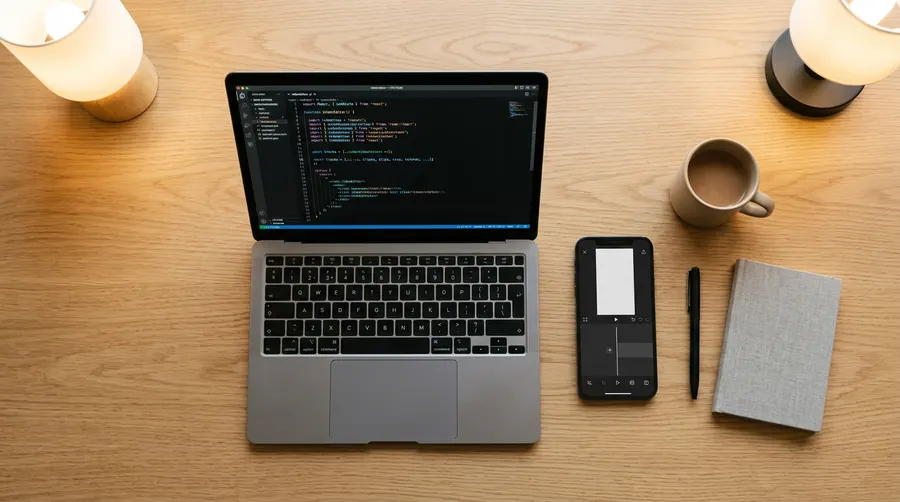
If you want to use Anthropic's flagship Claude Opus 5.5 model to edit your Instagram Reels or YouTube Shorts, the actual cost depends entirely on whether you use a Claude Pro subscription or the pay-as-you-go API. For a flat rate of $20/month (approximately ₹1,700 to ₹1,800 INR, plus local taxes), a Claude Pro subscription lets you chat with Opus 5.5 and write video editing scripts, but it comes with strict message limits. If you are building automated workflows using tools like Remotion or FFmpeg, you must use the Claude API, where Opus 5.5 costs $4 per million input tokens and $20 per million output tokens.
In this guide, we break down the real-world cost of editing a single Reel using Claude Opus 5.5. We will calculate the exact token math, compare standard rates against prompt caching and batch processing, and show you how to combine Claude with free tools like FFmpeg, OpenAI's Whisper, and Remotion to keep your expenses as low as possible.
Claude Subscription vs. API: Which One is Right for You?
Before spending any money, you need to decide how you want to interact with Claude. There are two primary access methods, and they bill very differently:
- Claude Pro / Max Subscription: If you are a solo creator editing videos manually, the Claude Pro subscription ($20/month) is the most predictable option. You can upload your transcript, ask Claude to identify the best hooks, and request it to write an FFmpeg command or Python script. However, the Pro plan has strict message limits that reset every 5 hours. If you exceed these, you are temporarily downgraded to a cheaper model.
- Claude API (Pay-as-you-go): If you are building an automated system—such as a web app or a local script that automatically cuts video files based on a transcript—you must use the API. There are no monthly fees or message limits here; you only pay for the exact number of tokens (words/characters) processed by the model.
Claude Opus 5.5 API Pricing Explained in INR
Anthropic’s API pricing is metered per million tokens (MTok). To understand these numbers in Indian Rupees (INR), let us assume an approximate conversion rate of 1 USD = ₹85 INR.
Here is the official pricing structure for Claude Opus 5.5:
- Standard Input Tokens (what you send): $4.00 per MTok (approx. ₹340 INR).
- Standard Output Tokens (what Claude writes): $20.00 per MTok (approx. ₹1,700 INR).
- Cache Reads (reusing previous prompts): $0.20 per MTok (approx. ₹17 INR).
- Batch API (delayed processing up to 24 hours): $2.00 input / $10.00 output per MTok (approx. ₹170 / ₹850 INR).
Let us compare this with other models in the Claude family to see where Opus 5.5 stands:
| Model Name | Input Cost per MTok (USD) | Output Cost per MTok (USD) | Best Use Case |
|---|---|---|---|
| Claude Opus 5.5 | $4.00 | $20.00 | Complex reasoning, multi-layer video pacing |
Step-by-Step Cost Calculation for One Reel Edit
Let us look at a realistic scenario where you use the Claude API to edit a single 60-second Reel. Suppose you have a 3-minute raw video. You first transcribe it locally using a free tool. Now, you send this transcript to Claude Opus 5.5 and ask it to find the funniest 45-second segment, write a subtitle script, and generate the code to cut the video.
The Token Arithmetic:
- Input Prompt:
- System prompt (instructions on humor, pacing, video formatting): ~2,000 tokens.
- Raw transcript + metadata: ~3,000 tokens.
- Total Input: 5,000 tokens.
- Output Prompt:
- Claude's response (structured JSON containing cut timestamps, zoom-in instructions, and caption text): ~1,500 tokens.
The Cost Breakdown (Standard Rates):
- Input Cost: 5,000 tokens * ($4.00 / 1,000,000) = $0.02 (approx. ₹1.70 INR)
- Output Cost: 1,500 tokens * ($20.00 / 1,000,000) = $0.03 (approx. ₹2.55 INR)
- Total Cost for 1 Run: $0.05 (approx. ₹4.25 INR)
However, video editing is rarely perfect on the first try. You might need 4 iterations to refine the cuts and fix overlapping text.
-
Without Caching (sending full history each time):
- Run 1: 5,000 in / 1,500 out = $0.05
- Run 2: 6,500 in / 1,500 out = $0.056
- Run 3: 8,000 in / 1,500 out = $0.062
- Run 4: 9,500 in / 1,500 out = $0.068
- Total Cost: $0.236 (approx. ₹20.00 INR per Reel)
-
With Prompt Caching (reusing the context):
- Run 1: 5,000 in (cache write) / 1,500 out = $0.05
- Run 2: 5,000 cached (read at $0.20/M) + 1,500 new in + 1,500 out = $0.037
- Run 3: 6,500 cached + 1,500 new in + 1,500 out = $0.038
- Run 4: 8,000 cached + 1,500 new in + 1,500 out = $0.039
- Total Cost: $0.164 (approx. ₹14.00 INR per Reel)
Building Your Video Stack with Free Tools
Claude Opus 5.5 only writes the logic; it cannot directly render video files. To process the video without paying license fees, you should pair Claude with these free, open-source tools:
- FFmpeg (GPL/LGPL license): A free command-line tool that can cut, scale, crop, and merge videos. You can ask Claude to generate precise FFmpeg commands.
- OpenAI Whisper (MIT license): A free, highly accurate speech-to-text model. You can run Whisper locally on your laptop to generate transcripts with timestamps.
- Remotion (Free License): A React-based framework that lets you build videos using code. Remotion is completely free for individuals, non-profits, and small teams of up to 3 people, even for commercial use.
Here is an example of an FFmpeg command you can ask Claude to write for you to crop a horizontal video into a 9:16 vertical Reel:
ffmpeg -i raw_input.mp4 -ss 00:00:15 -to 00:01:00 -vf "scale=1080:1920:force_original_aspect_ratio=increase,crop=1080:1920" -c:v libx264 -crf 18 -c:a aac -b:a 192k output_reel.mp4

How to Use Prompt Caching and Batch API to Save 90%+
If you are editing multiple Reels or managing a content agency, standard API rates can add up quickly. Anthropic provides two built-in features to slash these costs:
- Prompt Caching: Claude automatically caches prompts longer than 1,024 tokens. If your system instructions or video templates remain the same across multiple API calls, you only pay $0.20 per MTok for reading that cache instead of $4.00. This is a 95% discount on input tokens.
- Batch API: If you do not need instant edits, you can submit your requests as a "batch". Anthropic processes these within 24 hours at a flat 50% discount. This cuts Opus 5.5 rates to $2.00 input and $10.00 output per MTok.
- Stacking Discounts: When you combine Batch processing with Prompt Caching, your input cost for cached reads drops to an incredibly low $0.10 per MTok.
Smart Cost-Cutting Workflows
To get the best results from Claude without burning through your budget, follow these strategic workflows:
Cheaper Claude models (Sonnet or Haiku) cost less per token than Opus and are enough for simple steps like transcript cleanup or basic React code — check the Anthropic pricing page for current rates.
- Keep System Prompts Stable: Place your system instructions and formatting rules at the very beginning of your prompt. This ensures they stay in the cache and are read at the lower $0.20/M rate.
- Save and Reuse Scripts: Once Claude generates a working FFmpeg command or Remotion template, save it locally. Do not ask Claude to write the same basic template from scratch for every new video.
FAQ
Is Claude Opus 5.5 available on the free tier of Claude.ai?
No, Claude Opus 5.5 is not available on the free tier. To access it via chat, you must subscribe to Claude Pro ($20/month) or Claude Max ($100/month). Alternatively, you can pay-as-you-go using the Claude API.
Can I run Remotion for free if I am making commercial Reels?
Yes. Remotion's license is completely free for individuals, non-profits, and small companies with up to 3 employees, even if you are making commercial videos or earning money from your Reels.
How much cheaper is Claude Sonnet 5.5 compared to Opus 5.5?
Cheaper Claude models (Sonnet or Haiku) cost less per token than Opus and are enough for simple steps like transcript cleanup or basic React code — check the Anthropic pricing page for current rates.
Do I need a high-end GPU to run this AI video editing stack?
No. Since Claude runs in the cloud, you do not need a powerful GPU to generate the scripts. Tools like Whisper can run on standard CPUs (though a GPU makes them faster), and FFmpeg rendering can be done on standard laptops.