AI Reel Editing: Claude Opus 5.5 vs CapCut vs Premiere Pro — Kaun Sa Chune?
Pawan Joshee··7 min read
If you are an Indian content creator trying to scale your Instagram Reels or YouTube Shorts, choosing the right editing tool can make or break your workflow. While CapCut dominates quick mobile edits and Adobe Premiere Pro remains the standard for professional desktop timelines, a new player has emerged: code-based video editing powered by Claude Opus 5.5.
The short answer is simple. If you need to edit creative, one-off reels with trending effects, CapCut is your best bet. If you require absolute manual control and color precision for high-end client work, stick to Premiere Pro. However, if you want to batch-produce 30 highly structured reels (like daily tips, financial charts, or quote videos) in minutes, writing code with Claude Opus 5.5 and Remotion is an incredibly powerful approach that leaves traditional editors in the dust.
1. The Contenders: CapCut, Premiere Pro, and Claude Opus 5.5
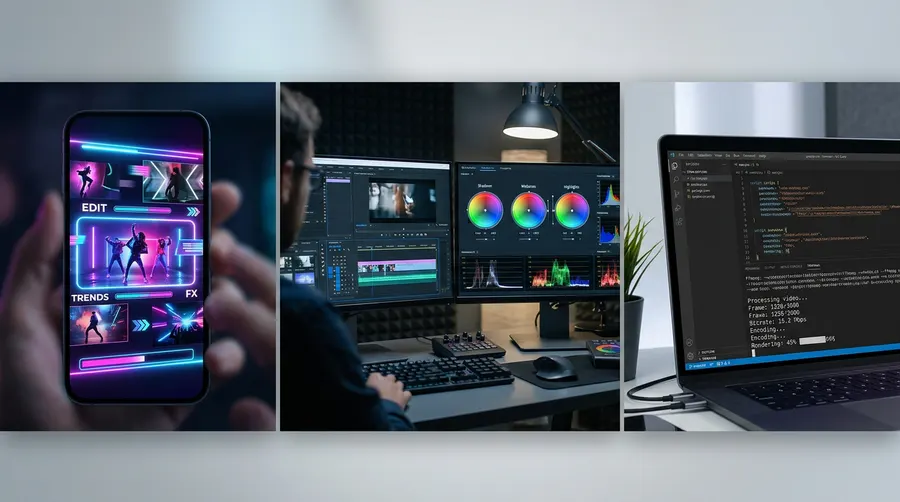
Before we dive into the details, let's understand what these three tools actually do and how they approach video editing:
- CapCut: Owned by ByteDance, this is the ultimate mobile and desktop consumer editor. It is packed with AI-powered auto-captions, background removal, and thousands of trending templates.
- Adobe Premiere Pro: The industry-standard desktop software. It offers professional timeline editing, deep integration with After Effects, advanced color grading, and Adobe Firefly-powered AI features.
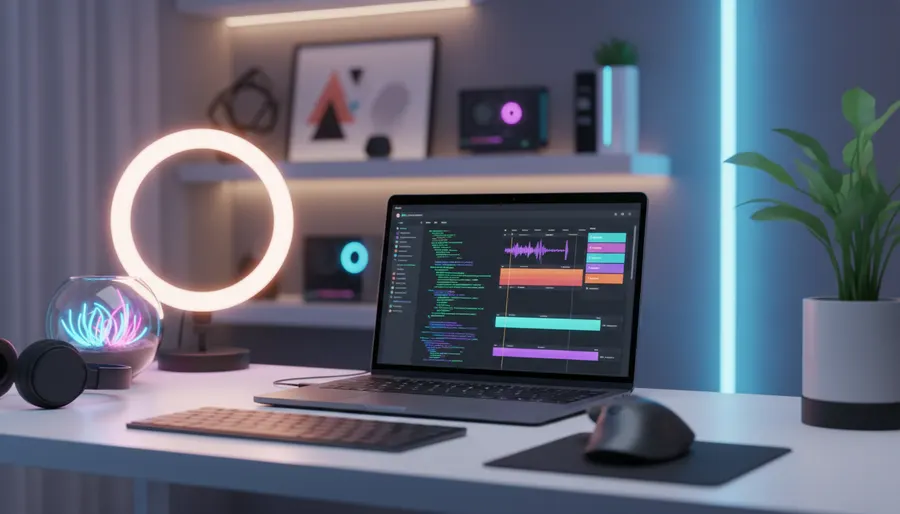
- Claude Opus 5.5: Anthropic's flagship AI model released in September 2026. It does not have a timeline interface. Instead, it acts as a coding agent. By using frameworks like Remotion (a React-based video editing framework) and FFmpeg, Claude can write code to generate, render, and compile videos programmatically.
2. When Claude Opus 5.5 Wins: The Power of Programmatic Batch Editing
Traditional editing requires you to drag and drop assets on a timeline for every single video. If you need to make 30 reels with the exact same layout but different text and background videos, doing it manually is tedious. This is where Claude Opus 5.5 shines.
Using Claude Code and Remotion, you can describe the layout you want, and Claude will write the React code to build a dynamic video template. You can then feed it a JSON file with 30 rows of data (e.g., 30 daily tech tips), and render 30 unique, high-quality Reels automatically.
To set this up, you need Node.js installed on your computer. Run these commands in your terminal:
# Create a new blank Remotion project
npx create-video --yes --blank my-ai-reels
cd my-ai-reels

# Add Remotion's AI skills for coding agents
npx remotion skills add

# Start your coding agent
claude
Once Claude is running inside your project directory, you can give it a prompt to design your Reel template. Here is a copy-paste prompt you can use:
Create a 1080x1920 Instagram Reel template in Remotion. The video should be 15 seconds long. It needs a centered text box with a semi-transparent dark background, a progress bar at the bottom that fills up over 15 seconds, and a dynamic title at the top. Read the text and title from a local JSON file named "data.json". Ensure the layout is clean, modern, and uses a bold sans-serif font.
Claude Opus 5.5 will write the code, set up the component structure, and even help you install any missing dependencies. Once the code is ready, you can render all your videos with a single command:
npm run build
3. CapCut: The King of Quick, Creative One-Offs
While Claude is unmatched for structured batch work, it is terrible for creative, spontaneous edits. If you want to sync a clip to a trending audio track, add a dramatic slow-motion effect, or use a complex transition, CapCut is the clear winner.
CapCut's learning curve is incredibly flat. Within 10 minutes, a complete beginner can import a video, apply an AI auto-caption style, add a viral sound effect, and export a polished Reel.
However, Indian creators face a major hurdle: CapCut is officially banned in India. There is no official listing on the Indian Google Play Store or Apple App Store, meaning there is no official rupee pricing. While many creators bypass this using VPNs or downloading third-party APKs, this carries security risks and violates CapCut's terms of service. Officially, CapCut Pro costs $19.99 per month (or $179.99 per year) and includes 1,200 AI credits and 1 TB of cloud storage. They also offer a cheaper $9.99/month Standard plan, but it limits exports to 1080p.
4. Adobe Premiere Pro: The Professional Powerhouse
If you edit videos for clients, shoot on professional cameras, or need absolute precision, Adobe Premiere Pro is the industry standard. It handles heavy 4K footage, multi-cam setups, and advanced audio mixing with ease.
Premiere Pro has introduced several AI features powered by Adobe Firefly, such as text-based editing (where you can edit the video by editing the transcribed text), AI audio dialogue enhancement, and auto-reframe for vertical formats.
The trade-off is the steep learning curve and high system requirements. You need a decent laptop or PC with a dedicated GPU and at least 16GB of RAM. In India, Premiere Pro is officially available. The single-app subscription starts around ₹2,334 per month, but students and teachers can get the entire Creative Cloud suite (including Premiere Pro, After Effects, and Photoshop) for ₹398.99 per month for the first year (billed annually), which is an incredible deal.
5. Decision Matrix: Claude vs CapCut vs Premiere Pro
To help you choose the right tool for your specific workflow, here is an honest comparison:
| Feature | Claude Opus 5.5 + Remotion | CapCut (Pro/Standard) | Adobe Premiere Pro |
|---|---|---|---|
| Best For | Automated batch edits (30+ reels) | Quick, mobile-first creative edits | Professional client work & raw footage |
| Learning Curve | High (Requires basic coding/terminal) | Extremely Low (Beginner-friendly) | Medium to High (Professional UI) |
| Speed (One-off) | Slow (Writing code takes time) | Extremely Fast (Drag & drop) | Medium (Requires manual setup) |
| Speed (Batch) | Extremely Fast (1-click render) | Slow (Must edit each timeline manually) | Slow (Requires manual nesting/rendering) |
| Mobile Support | No (Terminal/Code-based) | Excellent (iOS & Android apps) | Limited (Premiere Rush is basic) |
| India Status | Fully Available | Banned (Requires workarounds) | Fully Available |
| Approx. Cost | API-based pricing ($4/$20 per M tokens) | ~$9.99 to $19.99/mo (No official INR price) | ~₹2,334/mo (Student discount: ₹398.99/mo) |
6. Summary: Kaun Sa Chune?
The choice comes down to your content strategy:
- Choose Claude Opus 5.5 if you run a faceless channel, a digital marketing agency, or a SaaS product where you need to generate high volumes of structured Reels (like quotes, lists, or product feature highlights) programmatically.
- Choose CapCut if you are a lifestyle vlogger, solo creator, or influencer who edits on the go and relies heavily on trending music, stickers, and quick AI effects.
- Choose Premiere Pro if you are a professional videographer, edit high-budget YouTube videos, or work with corporate clients who demand precise color grading and complex multi-camera editing.
FAQ
Is CapCut Pro officially available in India?
No. CapCut was banned in India in 2020 along with other ByteDance apps. While many creators use VPNs to access it, there is no official support, and you cannot easily pay for a Pro subscription using Indian debit or credit cards without international payment setups.
How does Claude Opus 5.5 edit video without a timeline?
Claude doesn't "see" a timeline. It writes React code using a framework called Remotion. This code defines where text, shapes, and video clips should appear at specific frame numbers. When you run the build command, Remotion uses Node.js and FFmpeg behind the scenes to render those frames into a high-quality MP4 file.
Can I use Claude to edit videos inside Premiere Pro?
Not directly. However, you can use Claude to write ExtendScript (Premiere's scripting language) to automate tasks like cutting silence, importing assets, or applying specific presets within your Premiere Pro timeline.
Which tool is best for beginners on a tight budget?
If you are on a phone, CapCut's free version (using a VPN) is the most popular choice despite the restrictions. If you are on a computer and want a professional, legal, and free desktop alternative, we highly recommend DaVinci Resolve instead of Premiere Pro, or learning basic Remotion with Claude if you like automation.