How to Get Google Flow Credits? Free, Pro, & Ultra Explained
Pawan Joshee··8 min read

Google Flow is one of the most powerful AI video generation tools from Google, allowing creators to generate cinematic-quality videos using the Veo 3.1 model. However, navigating its credit system can be confusing, especially since every generation—whether an image, a fast draft, or a high-quality video clip—consumes a specific number of credits. If you want to know how to get more credits, understand the cost of different generation models, or find out how to claim free promotional plans in India, this guide has you covered.
As of October 2026, Google Flow does not sell individual credit subscriptions. Instead, it is integrated directly into Google's AI plans (Plus, Pro, and Ultra), which refill a monthly pool of AI credits on top of a daily free allowance. In this article, we will break down the exact credit costs for Veo 3.1 models, explain how to claim the 18-month free Jio Google AI Pro offer, outline student discounts, and share actionable tips to save your valuable credits while creating.
What is Google Flow and How Do Credits Work?
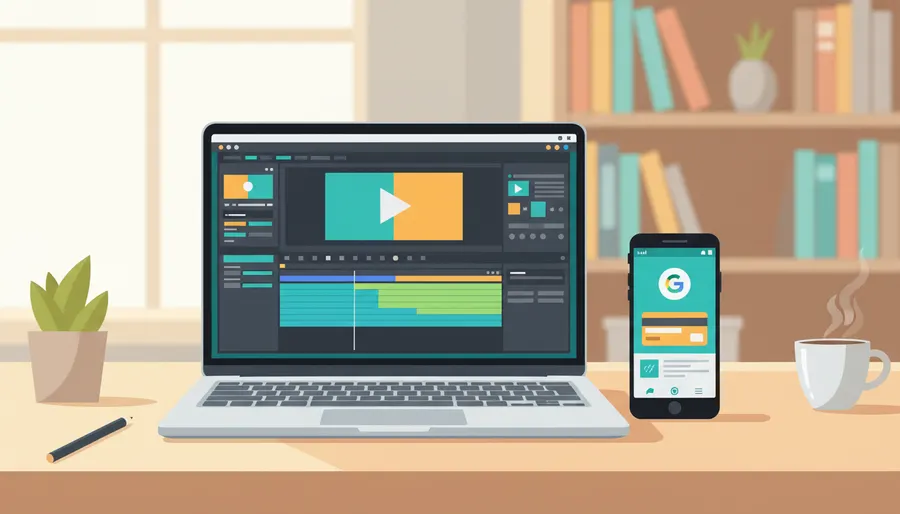
Google Flow is an AI-powered creative studio designed for filmmakers, designers, and content creators. It allows you to generate and edit high-quality videos and images using Google’s advanced generative models, such as Veo 3.1 and Gemini Omni Flash. You can build scenes, guide camera movements, edit videos using natural language, and maintain character consistency across multiple clips.
The entire platform operates on a credit-based system. Every time you generate a video or edit a clip, a specific number of credits is deducted from your account. Here are the core rules of how Google Flow credits work:
- Daily Free Credits: Every Google account receives 50 free Flow credits per day, with or without an active paid subscription.
- No Roll-Over: Unused daily credits do not carry over to the next day. Your 50 daily credits reset based on your first generation of the day, not at midnight.
- Subscription Credits are Extra: If you subscribe to a paid Google AI plan, you receive a monthly pool of credits in addition to your 50 daily credits.
- The Quality Wall: Generating a single Veo 3.1 Quality video costs 100 credits. Because daily free credits are capped at 50 and do not roll over, free users cannot generate high-quality videos without upgrading to a paid plan or claiming a promotion.
Google Flow Credit Cost: Veo 3.1 and Gemini Omni
The number of credits spent per generation depends entirely on the AI model and speed settings you select. Generating a high-fidelity cinematic scene costs significantly more than a quick draft.
Here is the breakdown of credit costs as of October 2026 (always check flow.google for the most current rates):
| AI Model / Feature | Credit Cost (Standard Plans) | Credit Cost (AI Ultra Plan) | Description / Usage |
|---|---|---|---|
| Veo 3.1 Lite | 10 credits | 5 credits | Fastest, low-fidelity drafts for testing composition. |
| Veo 3.1 Fast | 20 credits | 10 credits | Standard speed, good quality for regular previews. |
| Veo 3.1 Quality | 100 credits | 100 credits | High-fidelity cinematic rendering with no Ultra discount. |
| Gemini Omni Flash | 4 to 15 credits | 4 to 15 credits | Priced dynamically based on video length and resolution. |
| Video Editing (Omni) | 40 credits | 40 credits | Editing an existing clip with natural language instructions. |
Note: Credits are only charged for successful generations. If the AI tool fails or throws an error, your credits are refunded, though there may be a slight delay before they reappear in your account.
Google AI Paid Plans: Plus, Pro, and Ultra Credits
If you need more than the free 50 daily credits, you can subscribe to one of Google's AI plans. These plans are billed monthly and provide a flat number of "extra" credits that you can spend throughout the month.
Here is how the paid plans stack up in India and globally (as of October 2026):
-
Google AI Plus (₹399/month or $4.99/month):
- Adds 200 extra monthly credits.
- Allows upscaling up to 1080p.
- Limitations: You cannot purchase additional credit top-ups on this plan.
-
Google AI Pro (₹1,950/month or $19.99/month):
- Adds 1,000 extra monthly credits.
- Unlocks the ability to buy one-time credit top-ups if you run out.
- Provides access to Gemini 3 Pro and advanced tools.
-
Google AI Ultra (Starts at ₹6,500/month or $99.99 to $199.99/month):
- Adds 10,000 to 25,000 extra monthly credits.
- Halves the credit cost for Veo 3.1 Lite (5 credits) and Fast (10 credits).
- Unlocks 4K upscaling and priority rendering.
How to Get Free Google Flow Credits (Jio & Student Offers)
Indian creators have access to some of the best promotional deals globally to get premium Google Flow access without paying a single rupee.
1. The Jio Google Gemini AI Pro Offer (18 Months Free)
Reliance Jio is offering its unlimited 5G users a complimentary 18-month Google AI Pro subscription (worth ₹35,100). This includes 1,000 extra monthly Flow credits and 5 TB of Google One cloud storage.
Eligibility:
- You must be a Jio retail user aged 18 or above.
- You must have an active unlimited 5G plan of ₹349 or above (or select prepaid/postpaid plans of ₹299 or above).
Steps to Claim:
- Download and open the MyJio app on your phone.
- Look for the "Google Gemini Offer" banner on the home screen and tap it.
- Tap "Claim Now". You will be redirected to a Google activation page.
- Sign in with your personal Google Account (Gmail ID).
- Tap "Activate Plan" to confirm. Your account will instantly show the "Google AI Pro" status.
2. Google AI Student Offers (12 Months Free)
If you are a student, you can claim free access to Google AI plans by verifying your enrollment through SheerID.
- In India & 140+ Markets: Eligible college students can get 12 months of Google AI Plus for free. This provides 200 monthly Flow credits.
- Internshala Promotion: Students in India can also look out for the Internshala partnership, which periodically offers a 12-month Google AI Plus plan at no cost.
- How to Claim: Go to
one.google.com/ai-student, verify your college status with SheerID using your school email or documents, and complete the sign-up.
How to Buy Top-Up Credits and Set Up Auto-Reload
If you are on a Google AI Pro or Ultra plan and run out of credits mid-project, you do not have to wait for the next billing cycle. You can purchase one-time credit packs.
Steps to Buy Credit Packs:
- Open the Google One app or visit the Google One website.
- Go to the AI Credits page.
- Click "Get AI credits" and choose from increments like 2,500, 5,000, or 20,000 credits.
- Complete the payment to instantly add credits to your shared pool.
How to Set Up Auto-Reload: To avoid manual purchases, you can set up auto-reload. After making a one-time purchase, select "Set up auto-reload" on the confirmation screen, choose your threshold and reload amount, and confirm.
Tips to Save and Maximize Your Flow Credits
Because Flow credits are premium, wasting them on bad generations can quickly drain your budget. Use these smart habits to get the most out of your allowance:
- Draft in Lite or Fast first: Never use the Veo 3.1 Quality model (100 credits) for your first attempt. Run your prompt through Veo 3.1 Lite (10 credits) or Fast (20 credits) to check the composition, layout, and character consistency. Once you are happy with the layout, render the final version in Quality.
- Generate 8 seconds, not 4: Veo 3.1 charges a flat rate per generation, regardless of whether you generate a 4-second or an 8-second video. Generating an 8-second clip and trimming it in an external editor like CapCut or ffmpeg gives you double the video length for the exact same credit cost.
- Test with short, precise prompts: Before writing long, complex scene descriptions, test your main subject using a short prompt. For example, instead of a detailed 100-word prompt, start with:
A cinematic shot of a futuristic sports car driving through a neon-lit Mumbai street.
If the car's style is correct, add camera movements and environmental details in subsequent edits. 4. Avoid unnecessary re-rolling: If a generation is slightly off, do not click the "re-roll" button repeatedly. Instead, use the Scene Builder or natural language editing features (which cost less) to tweak specific elements of the generated clip.
FAQ
Q1. Can I buy Google Flow credits if I am on the free tier?
No. One-time credit top-ups and auto-reload options are strictly reserved for Google AI Pro and Google AI Ultra subscribers. If you are on the free tier or Google AI Plus, you must upgrade to Pro or Ultra to purchase extra credits.
Q2. Do my unused Google Flow credits roll over to the next month?
No. Both your daily 50 credits and your plan's monthly credit allowance (e.g., 1,000 credits for Pro) do not roll over. Any unused credits are forfeited at the end of the day or billing cycle, so make sure to use them.
Q3. How do I check my remaining Google Flow credits?
You can easily check your balance by opening the Google Flow app on your phone or computer. Tap on your profile picture or initial in the top-right corner. Your remaining credits and next refresh date will be displayed right under your profile info.
Q4. What happens if a video generation fails in Google Flow?
If a generation fails due to a system bug, policy violation, or network error, your credits are not lost. Google automatically refunds the spent credits, though it might take a few minutes for them to reappear in your active balance.