South Indian Half Saree AI Photo Prompts for Girls
Pawan Joshee··4 min read
The traditional South Indian Langa Voni (half saree) is a symbol of youthful elegance and timeless cultural beauty. Recently, there has been a massive trend on Instagram where girls are using AI photo generators to visualize themselves in these vibrant outfits against scenic temple backdrops. Whether you want to celebrate your cultural roots or create a stunning new profile picture, these AI prompts will help you achieve the perfect look effortlessly.
In this guide, we are sharing 4 highly detailed, original prompts designed for a south indian traditional girl photo generator. You can easily copy these half saree langa voni ai prompts, paste them into your favorite AI tool like Midjourney or Bing Image Creator, and watch your dream traditional look come to life.
Note: Every sample image below was made by the Prompt Banao team from the exact prompt shown, using Gemini. People in the samples are AI-generated, not real. Your result will look different with your own photo.
How to use these prompts
- Select your favorite Langa Voni style from our list below.
- Copy the prompt text carefully.
- Upload a high-quality, clear, front-facing photo of yourself to your preferred AI generator.
- Paste the copied prompt into the description box.
- Click generate, wait a few seconds, and download your stunning traditional avatar.
1. Golden Temple Courtyard Look
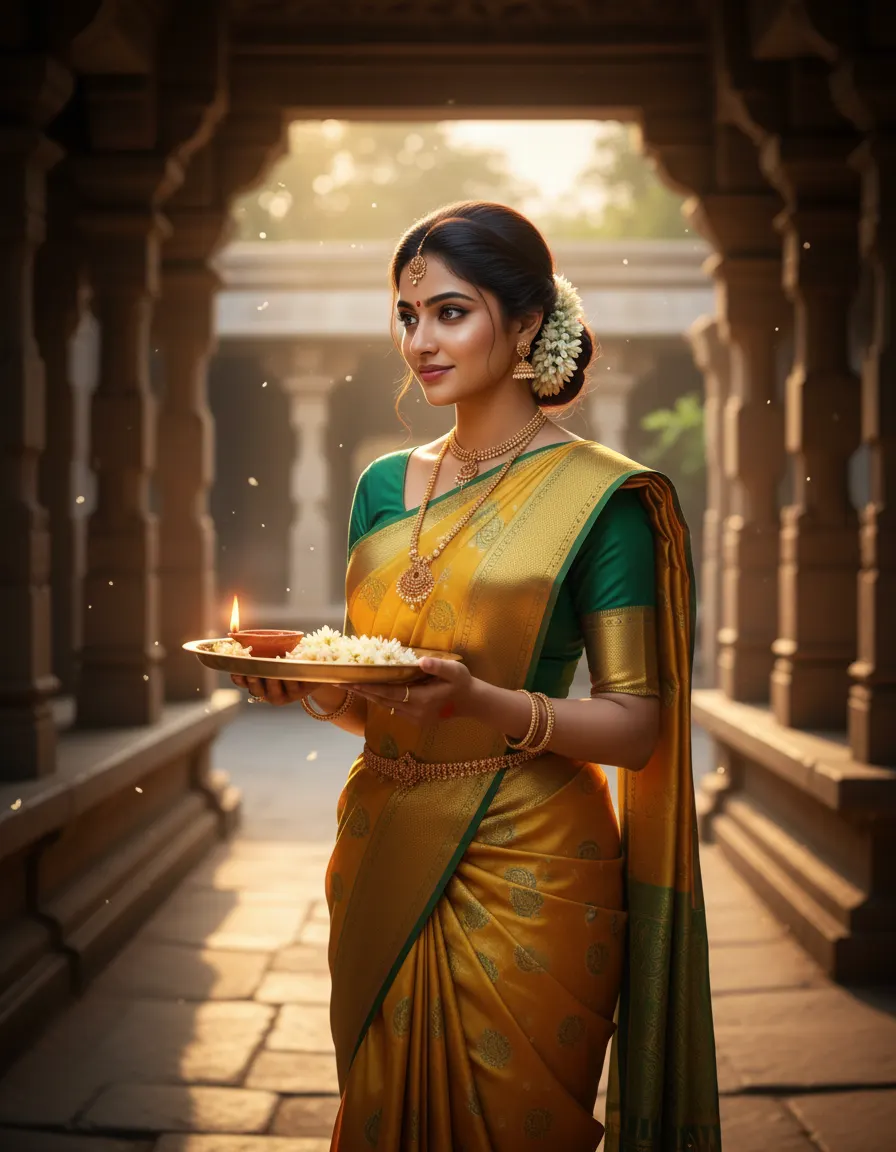
Sample made with this prompt in Gemini.
Using my uploaded photo as the reference, keep my face and features exactly the same, depicting me as a young South Indian woman standing in an ancient temple courtyard. I am wearing a traditional golden yellow and emerald green silk Langa Voni with a thick gold zari border. I am holding a polished brass puja thali with jasmine flowers and a lit clay diya. Warm morning sunlight filters through stone pillars. Shot on an 85mm lens, f/1.4 aperture, shallow depth of field, rich warm colors, photorealistic, 4:5 aspect ratio.
Tip: For the best results, upload a photo where your face is evenly lit with natural light.
2. Traditional Oonjal Swing Portrait
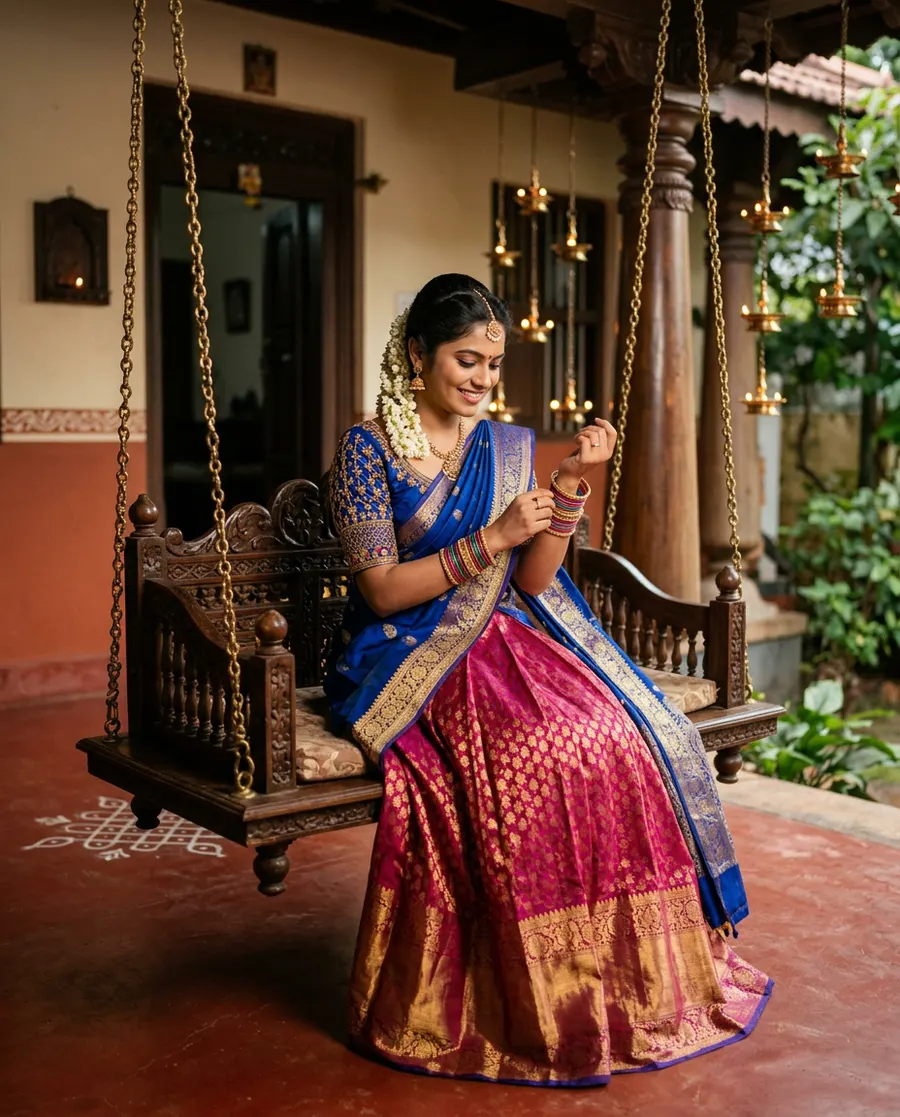
Sample made with this prompt in Gemini.
Using my uploaded photo as the reference, keep my face and features exactly the same, depicting me sitting gracefully on an ornate wooden swing on a traditional South Indian house verandah. I am wearing a royal blue and magenta pink half saree with intricate gold brocade work. I am smiling softly while adjusting colorful glass bangles on my wrist. The background features warm red-oxide flooring and hanging brass lamps. Soft ambient lighting, cinematic color grading, 50mm lens, realistic textures, 4:5 aspect ratio.
Tip: Use an uploaded photo with a slight smile to match the joyful, festive mood of this pose.
3. Lotus Pond Aesthetic Look
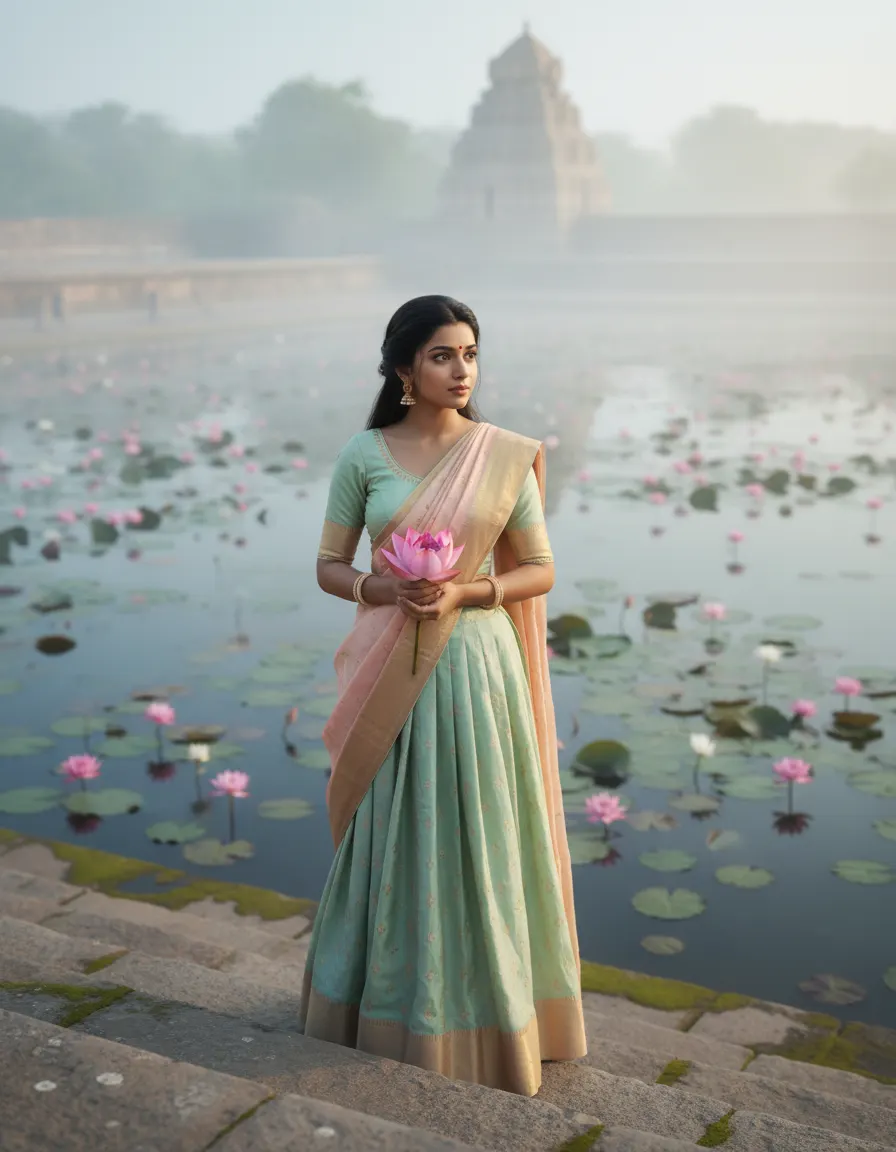
Sample made with this prompt in Gemini.
Using my uploaded photo as the reference, keep my face and features exactly the same, depicting me standing on the stone steps of an ancient temple pond. I am wearing a pastel mint green and peach silk Langa Voni. I am holding a pink lotus flower in my hands, looking away thoughtfully. The background features a misty morning pond with blooming lotuses. Diffused soft lighting, pastel color palette, dreamy mood, 105mm lens, soft-focus background, photorealistic, 4:5 aspect ratio.
Tip: A photo with a candid, neutral expression works beautifully for this dreamy aesthetic.
4. Gopuram Sunset Walk
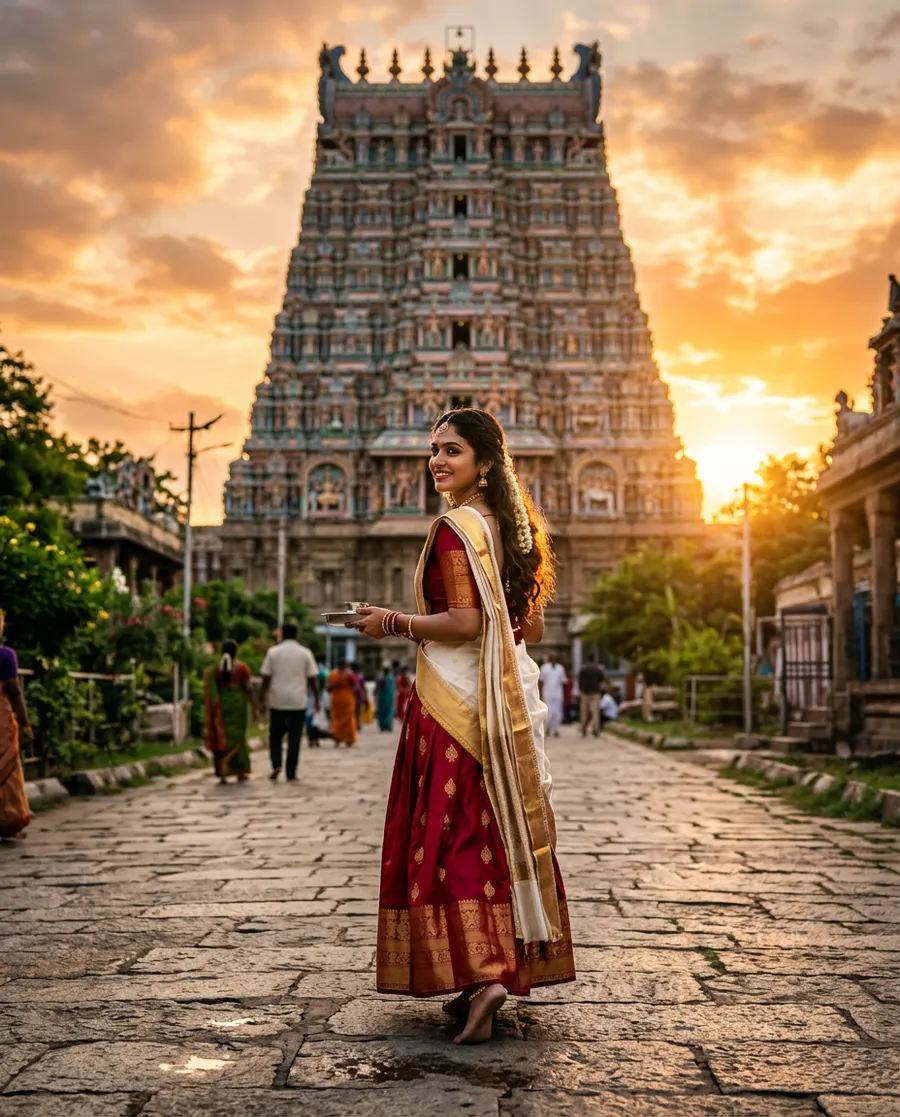
Sample made with this prompt in Gemini.
Using my uploaded photo as the reference, keep my face and features exactly the same, depicting me walking on a paved stone pathway with a majestic temple Gopuram in the background. I am wearing a deep crimson red and ivory white traditional silk Langa Voni. I am looking back over my shoulder with a serene smile. The scene is illuminated by a dramatic golden sunset, creating a warm rim light on my hair. Cinematic color grading, 85mm lens, f/1.8, high detail, 4:5 aspect ratio.
Tip: A side-profile or three-quarter angle photo of your face works best for this 'looking back' pose.
Frequently asked questions
Which AI tools work best with these Langa Voni prompts?
Tools like Midjourney, Bing Image Creator (Copilot), and specialized AI portrait generators that support face-swapping or image-to-image features work best.
Can I change the colors of the half saree in these prompts?
Yes! You can easily edit the color names (e.g., change 'emerald green' to 'royal blue') in the prompt text before generating.
Do I need a paid AI tool to use these prompts?
No, you can use free tools like Bing Image Creator or free trials of face-swapping platforms to get amazing results.