Reel Editing: 15 Claude Opus 5.5 Prompts for Video Editors
Pawan Joshee··12 min read
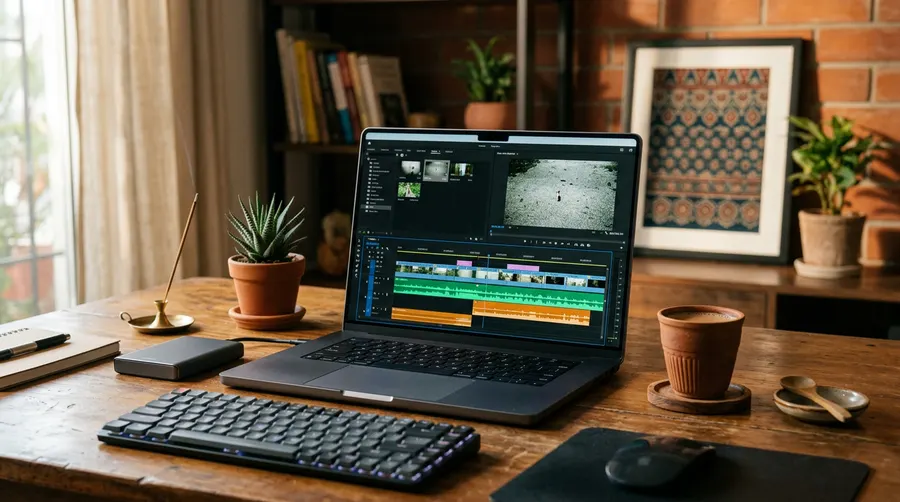
Are you looking to speed up your Instagram Reels and YouTube Shorts editing workflow using artificial intelligence? Anthropic's Claude Opus 5.5 has emerged as an incredibly capable tool for creators, offering advanced reasoning, adaptive thinking, and a 30% speed improvement over its predecessor. By using precise, structured prompts, you can turn raw transcripts into detailed edit lists, write high-retention hooks, generate color grading directions, and even produce clean JSON files to automate your video rendering.
In this guide, we share 15 copy-paste Claude prompts for reel editing specifically optimized for the Opus 5.5 model. Whether you are a beginner editing on your phone with CapCut or a professional using Premiere Pro and ffmpeg, these prompts will help you plan your visual cuts, write engaging subtitles, and streamline your post-production.
Why Claude Opus 5.5 is Highly Effective for Video Editors
Before diving into the prompts, it is helpful to understand why Claude Opus 5.5 is uniquely suited for video editing workflows. Unlike older language models, Opus 5.5 features native adaptive thinking, allowing it to analyze complex timing math and structural logic before generating an output. It is also highly cost-effective, priced at $4 per million input tokens and $20 per million output tokens, which is 40% cheaper to run than the previous Opus 5 model.
When you paste a long transcript or a video structure into Claude Opus 5.5, the model can process massive amounts of text with high precision. It can calculate exact timestamps, align beat drops, and format clean code or JSON blocks that you can feed directly into automated rendering tools like Remotion or ffmpeg.
Here is a quick comparison of Claude Opus 5.5's features for video creators:
| Feature | Claude Opus 5.5 Capability | Benefit for Video Editors |
|---|---|---|
| Pricing | $4 / $20 per million tokens | Highly affordable for batch processing transcripts |
| Output Speed | 30%+ faster than Opus 5 | Quick turnaround for real-time script adjustments |
| Adaptive Thinking | Always on, adjustable effort | Deep logical reasoning for complex timeline edits |
| Vision Support | Excellent chart & screenshot analysis | Can analyze storyboard sketches or UI layouts |
Part 1: Audio, Transcripts & Subtitle Prompts
1. Transcript to Cut List
This prompt helps you clean up a raw transcript by identifying filler words, long silences, and repetitions, creating a clean roadmap for your first rough cut.
You are an expert video editor. I will provide you with a raw video transcript with approximate timestamps. Your task is to identify and list all necessary cuts. Specifically, find:
1. Filler words (e.g., 'um', 'uh', 'like', 'you know').
2. Repetitive sentences or false starts.
3. Logical places where a pause longer than 1.5 seconds can be cut down to 0.2 seconds to maintain a snappy pace.

Present the output as a clean table with columns: [Original Timestamp] | [Spoken Text] | [Action: Cut / Keep] | [Reason].

Here is the transcript:
[Insert Transcript Here]
2. Subtitle Translation (Hinglish <-> English)
Great for Indian creators who speak in Hinglish but want accurate, context-aware subtitles in either clean English or modern Hinglish with correct spellings.
You are a bilingual subtitle translator specializing in short-form content (Reels/Shorts). Translate the following transcript. If the input is in Hinglish/Hindi, translate it into highly engaging, modern English subtitles. If the input is in English, translate it into everyday Hinglish (using Latin script, e.g., 'Yeh video dekho' instead of Devanagari). Keep the sentence structures short (maximum 4-5 words per line) to fit on a vertical screen.

Transcript:
[Insert Transcript Here]
3. Hook Rewrite (3 High-Retention Options)
The first 3 seconds of your Reel decide its success. Use this prompt to rewrite your boring intro into three high-conversion hooks.
Analyze the first 10 seconds of my video script. Rewrite it into 3 distinct, high-retention hook options.
- Option 1: The 'Shocking Fact' hook (starts with an unexpected statistic or claim).
- Option 2: The 'Negative Frame' hook (starts with a common mistake the viewer is making).
- Option 3: The 'Curiosity Gap' hook (starts with a question that forces them to watch till the end).

Keep each hook under 7 words.

Original Intro:
[Insert Intro Script Here]
4. Caption Styling & Hashtags
Generate a clean, engaging Instagram caption with line breaks, emojis, and relevant hashtags tailored for Indian audiences.
Write an engaging Instagram Reel caption based on this video script. The caption should:
1. Start with a bold, attention-grabbing first line.
2. Use bullet points with emojis for easy reading.
3. End with a clear Call to Action (CTA) asking users to comment or share.
4. Include 5 highly relevant hashtags (mix of broad and niche for Indian creators).
5. Keep the tone friendly, conversational, and professional.

Video Script:
[Insert Script Here]
Part 2: Visual Pacing & Dynamic Editing
5. Zoom Punch-Ins & Scale Changes
To keep viewers from scrolling away, you need visual resets. This prompt tells you exactly when to punch in (e.g., scale from 100% to 115%) based on your script.
Analyze the following video script and suggest 'Zoom Punch-Ins' (Scale changes from 100% to 110% or 115%) to emphasize key words, emotional shifts, or comedic timing. Provide the exact words where the editor should apply the punch-in and when they should reset back to 100%.

Script:
[Insert Script Here]
6. Beat-Synced Cuts Plan
Provide Claude with the BPM (Beats Per Minute) or timing of your background track, and it will calculate the exact frame cuts for a fast-paced montage.
I am editing a fast-paced reel to a background track with a BPM of [Insert BPM, e.g., 120]. I want my visual cuts to align perfectly with the beats. Assuming a standard 30fps timeline, calculate the exact frame numbers or timestamps (in seconds) where a cut should occur over a 15-second duration. Provide a brief creative suggestion for what type of visual action should happen on every 4th beat (the heavy drop).
7. B-Roll Overlay Planning
Don't just show a talking head. This prompt generates a detailed B-roll plan, suggesting relevant stock footage or overlay graphics for every section of your video.
Act as a visual director. Read my video script and create a two-column table.
- Column 1: Spoken words/transcript segment.
- Column 2: Detailed B-roll suggestion (e.g., close-up of hands typing, screen recording of an app, animated arrow pointing to text, or a specific green screen meme).

Make sure the B-roll suggestions are practical, easy to film, or easy to find on free stock video sites.

Script:
[Insert Script Here]

8. Retention-Focused Pattern Interrupts
Keep your audience hooked by introducing unexpected elements. This prompt suggests text popups, sound effects, and visual transitions.
Review this script and suggest 5 'Pattern Interrupts' to keep viewer retention high. These can include:
1. Sound effect cues (e.g., whoosh, vinyl scratch).
2. On-screen text popups (bold words with drop shadows).
3. Quick transition styles (e.g., film burn, whip pan).
4. Relevant pop-culture meme inserts (under 1 second).

Specify the exact timestamps or words where these interrupts should be placed.

Script:
[Insert Script Here]
Part 3: Production & Post-Processing Prompts
9. Color Grading & LUT Direction
Describe the mood of your video, and Claude will give you precise directions for color correction, grading, and LUT selection.
I want to color grade my vertical video to achieve a specific mood. The video is a [describe category, e.g., moody tech review / bright travel vlog / cozy indoor talking head].
Provide me with:
1. Recommended exposure, contrast, and saturation adjustments (in percentage or slider terms).
2. Color wheels direction (Shadows, Midtones, Highlights tint).
3. The type of look/LUT style I should search for (e.g., Teal and Orange, Warm Vintage, Clean Corporate).
10. Sound Effects (SFX) Cue Sheet
Sound design is 50% of a good video. This prompt creates an organized sound effects cue sheet based on your script's actions.
Create a professional Sound Effects (SFX) cue sheet for my 30-second Reel. Based on the actions and script below, suggest exactly where to add SFX like whooshes, mouse clicks, camera shutters, bell dings, or subtle risers. Format it as a list with [Timestamp] | [Visual Action] | [Suggested SFX] | [Volume Level relative to voiceover].

Script & Actions:
[Insert Script and Visual Actions Here]
11. Loudness & Audio Ducking Parameters
Get professional audio mixing guidelines to ensure your voiceover is crystal clear over the background music.
I am mixing audio for an Instagram Reel. I have a main voiceover track and a background music track. Provide me with standard professional audio settings (in dB) for:
1. Target loudness (LUFS) for Instagram/Shorts.
2. Voiceover track compression and EQ settings (high-pass filter, essential frequencies to boost/cut).
3. Background music volume level during speaking.
4. Audio ducking parameters (threshold, fade-in/out time, and reduction amount) to keep the voice clear.
12. Thumbnail Frame Pick & Design Plan
A great cover frame increases click-through rates on the Reels grid. This prompt helps you plan the perfect thumbnail.
Based on my video script and visual flow, suggest 3 different ideas for a high-performing Reel cover frame (thumbnail). For each idea, describe:
1. The exact visual frame/pose to freeze.
2. The bold text overlay (maximum 3-4 words) that creates high curiosity.
3. The colors and font style to use for maximum readability on a mobile screen.

Script:
[Insert Script Here]
Part 4: Automation & Repurposing Prompts
13. Batch Render JSON Template (for Remotion/ffmpeg)
If you automate your video edits using code, Claude Opus 5.5 can generate structured JSON files to feed into rendering engines like Remotion or custom python/ffmpeg scripts.
I need to batch render 10 different vertical reels using an automated template. Each reel has a background video path, a title text, a subtitle text, and a hex color code for the theme.
Generate a clean, valid JSON structure containing 10 objects with realistic placeholder data for a [Insert Topic, e.g., Daily Tech Tips / Motivation Quotes]. Ensure the JSON keys are consistent: 'video_id', 'bg_video_path', 'title', 'subtitle', 'theme_color'. Output ONLY the raw JSON block.
14. CTA Optimizer (High-Conversion Endings)
Don't just say 'Follow for more'. Use this prompt to generate active, psychological triggers that get users to save, share, or comment.
My video is about [Insert Topic, e.g., how to save taxes in India]. I want a powerful 3-second call-to-action (CTA) at the end of my Reel. Generate 3 options:
- Option 1: Designed to maximize SAVES (makes them want to keep it for reference).
- Option 2: Designed to maximize COMMENTS (asks an easy, engaging question).
- Option 3: Designed to maximize SHARES (relatable or highly valuable to a specific group).

Keep each option under 10 spoken words.
15. Repurposing Long Video into 3 Reels
Got a 10-minute YouTube video or podcast? Paste the transcript here, and Claude will extract three distinct, highly engaging Reel concepts.
I am pasting the transcript of a long-form video. Your task is to extract 3 distinct segments that can be repurposed into standalone, 30-to-60-second Instagram Reels. For each segment, provide:
1. The start and end topic or approximate section of the transcript.
2. A suggested title for the Reel.
3. A brief outline of how to edit it (visual flow, hook, and CTA).

Here is the long transcript:
[Insert Long Transcript Here]
How to Get the Best Results on Claude Opus 5.5
To truly unlock the power of Claude Opus 5.5, follow these professional prompting tips:
- Leverage the Effort Parameter: Since Claude Opus 5.5 uses adaptive thinking, you can adjust the depth of its reasoning. For complex calculations like frame counts or batch JSON structures, make sure your API calls or interface settings are set to high or maximum effort.
- Use System Prompts: If you are using Claude Projects, set a system instruction like: "You are an elite video editor who speaks fluent Hinglish and understands Indian social media trends."
- Provide Context: Always specify your target platform (Instagram Reels, YouTube Shorts, or Josh) and your target audience (e.g., Indian college students, tech enthusiasts, or finance beginners) to get highly tailored hooks and captions.
FAQ
Is Claude Opus 5.5 free to use?
Claude Opus 5.5 is available to subscribers on the Claude Pro, Max, Team, and Enterprise plans, which offer significantly higher usage limits. Developers can also access it via the Anthropic API, where it is priced affordably at $4 per million input tokens and $20 per million output tokens.
Can Claude Opus 5.5 directly edit my video files?
No, Claude Opus 5.5 is a text and vision-based language model. It cannot directly cut or render MP4 files. Instead, it acts as your co-director and script supervisor—generating precise cut lists, timing coordinates, JSON templates, and visual plans that you can easily copy and paste into editing software like Premiere Pro, CapCut, or automation scripts.
What is the 'effort' parameter in Claude Opus 5.5?
The 'effort' parameter controls the depth of Claude's adaptive thinking. By default, it runs at 'medium' effort. For complex tasks such as calculating frame-accurate beat-synced cuts or generating bug-free JSON code, setting the effort to 'high' or 'max' allows the model to think longer and produce more accurate, logical results.
Can I use these prompts in other AI models like ChatGPT?
Yes, you can copy-paste these prompts into ChatGPT, Gemini, or other models. However, Claude Opus 5.5's advanced structural reasoning, multi-lingual Hinglish translation capabilities, and precise formatting make it exceptionally reliable for producing clean, ready-to-use editing templates and timing charts.