Graduation Day AI Photo Prompts with Degree
Pawan Joshee··4 min read
Graduation day is a monumental milestone, but getting the perfect, professional-looking photo in your cap and gown can be expensive and time-consuming. Thanks to AI image generators, you can now create stunning, realistic graduation portraits holding your degree right from your phone. Whether you missed taking photos on your actual graduation day or want a flawless digital keepsake for social media, these custom prompts will help you celebrate your hard work beautifully.
In this article, we share four unique, highly detailed AI photo prompts designed for platforms like Remaker AI, Bing Image Creator, or Midjourney. These prompts are crafted to preserve your facial features while generating realistic graduation gowns, caps, certificates, and academic settings. Simply copy, customize, and watch your proud moment come to life.
Note: Every sample image below was made by the Prompt Banao team from the exact prompt shown, using Gemini and ChatGPT. People in the samples are AI-generated, not real. Your result will look different with your own photo.
How to use these prompts
- Choose your favorite prompt from our list below and copy it.
- Open your preferred AI tool (like Remaker AI or any face-swap generator) and upload a clear, front-facing photo of yourself.
- Paste the copied prompt into the text box to describe your desired graduation gown, cap, background, and lighting.
- Click 'Generate' and wait a few seconds for the AI to create your personalized graduation portrait.
- Download the high-resolution image and share your proud achievement with friends and family on Instagram or WhatsApp.
1. Classic Campus Graduation Pride
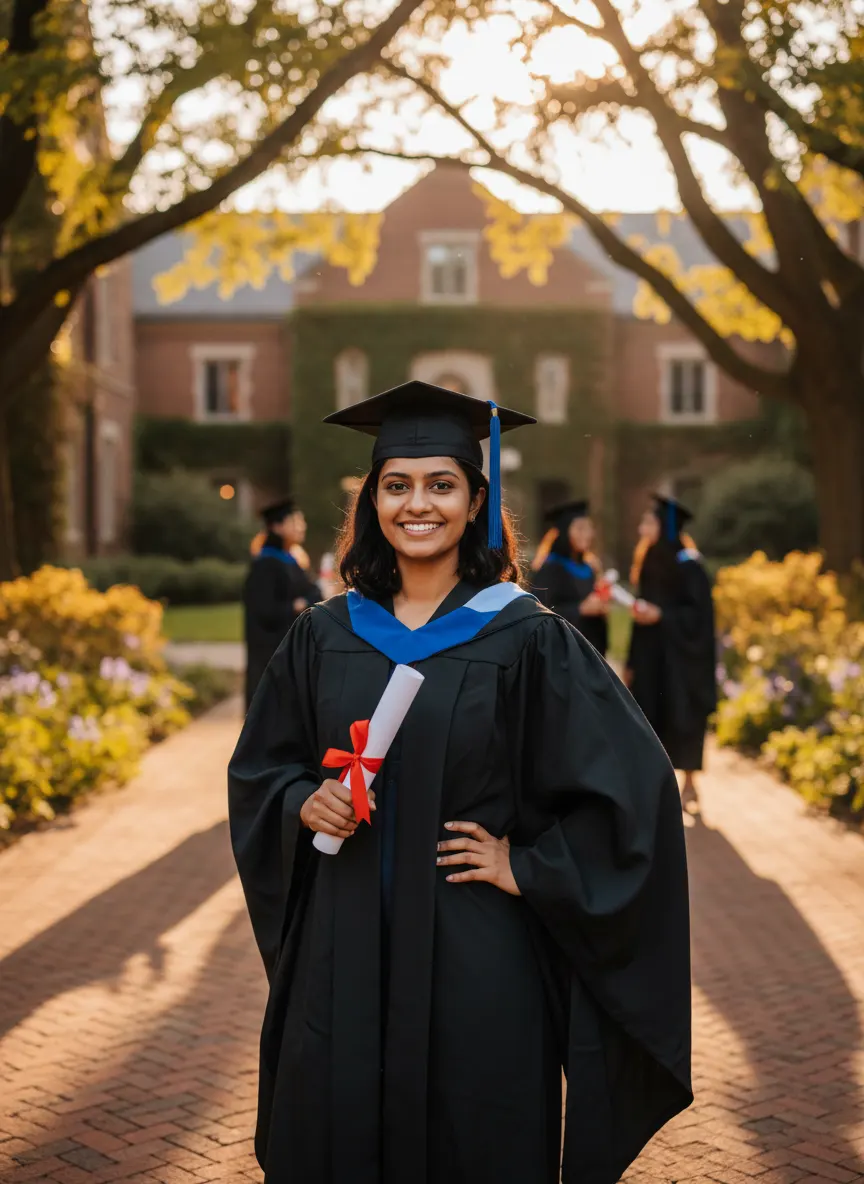
Sample made with this prompt in Gemini.
Using my uploaded photo as the reference, keep my face and features exactly the same, as I stand proudly on a beautiful brick university campus. I am wearing a traditional black graduation gown with a deep blue sash, holding a rolled-up degree certificate tied with a red ribbon in one hand, and wearing a matching black mortarboard cap. Warm golden hour sunlight filters through the trees, casting a soft glow. Captured on a 50mm lens with a shallow depth of field, vibrant colors, celebrating a major milestone. Aspect ratio 3:4.
Tip: Ensure your uploaded photo has clear lighting on your face so the AI can map your features perfectly onto the graduate.
2. Grand Auditorium Ceremony Stage
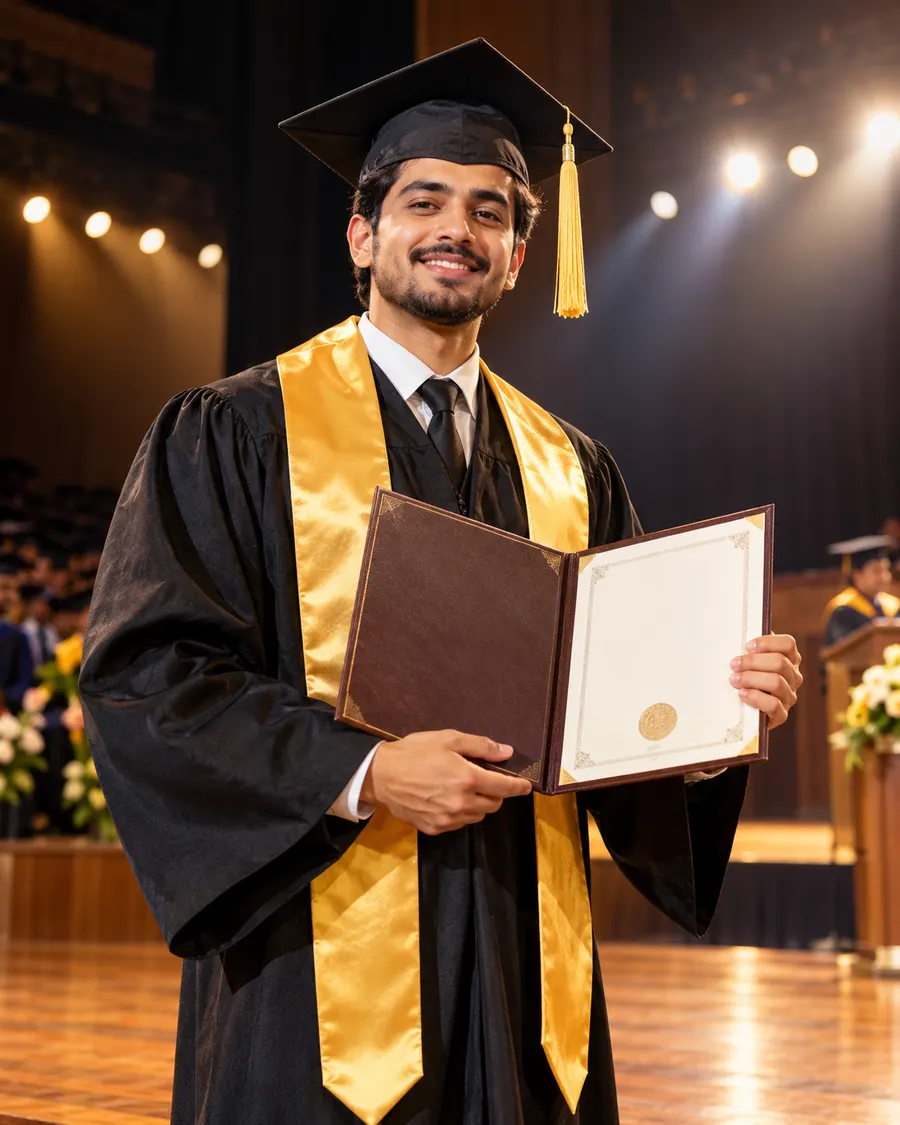
Sample made with this prompt in ChatGPT.
Using my uploaded photo as the reference, keep my face and features exactly the same, as I stand on a grand wooden stage of a university auditorium. I am wearing a black graduation gown with a gold silk stole and a black cap with a gold tassel. I am holding a leather-bound degree folder open, showing my achievement. Bright stage spotlights illuminate me, creating a dramatic rim light. Captured with an 85mm lens, cinematic lighting, rich colors, proud and triumphant mood. Aspect ratio 4:5.
Tip: Avoid wearing hats or glasses in your reference photo unless you want them to appear in the final generated image.
3. Joyful Cap Toss Celebration
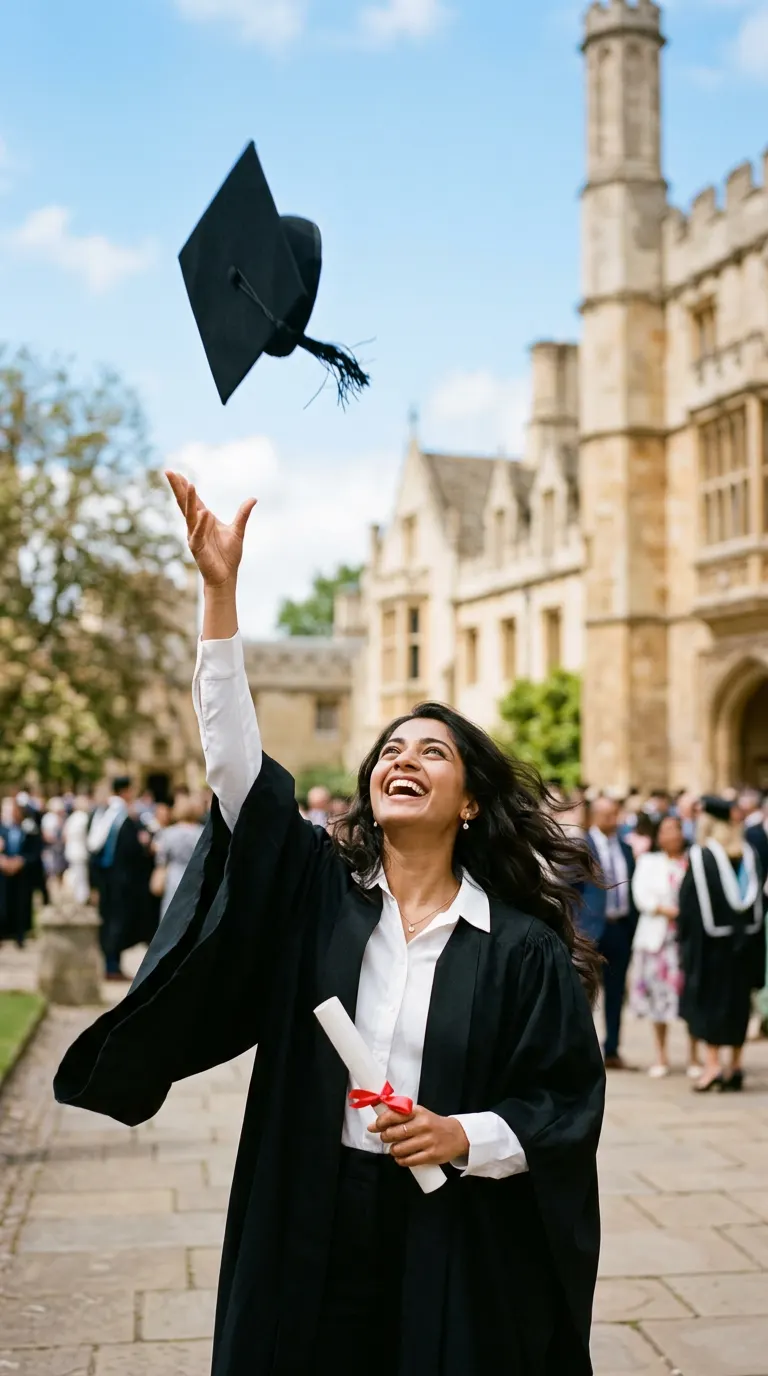
Sample made with this prompt in Gemini.
Using my uploaded photo as the reference, keep my face and features exactly the same, as I look up with a joyful smile while throwing my black graduation mortarboard cap into the air. I am wearing a black graduation gown over a smart white collared shirt, holding a rolled degree certificate tied with a red ribbon in my other hand. Set against a blurred background of a historic university building under a clear blue sky. Dynamic action shot, bright daylight, 35mm lens, cheerful atmosphere. Aspect ratio 9:16.
Tip: Choose a reference photo where you are smiling or looking happy to match the celebratory vibe of the cap toss.
4. Elegant Modern Studio Portrait
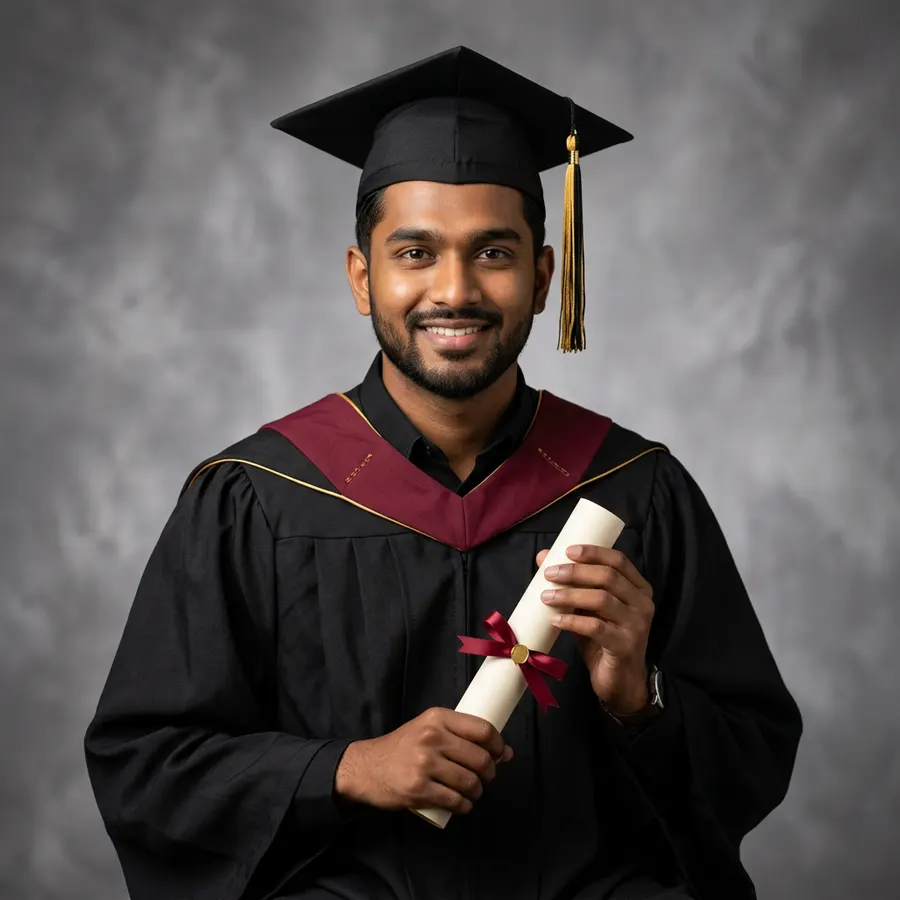
Sample made with this prompt in Gemini.
Using my uploaded photo as the reference, keep my face and features exactly the same, in a professional close-up studio portrait. I am wearing a premium black graduation gown with a maroon hood, wearing a black cap with a tassel hanging to the side. I am holding a rolled degree scroll elegantly in front of me with both hands. Studio background of soft grey textured canvas with professional three-point lighting, clean details, captured on a high-end portrait camera, sophisticated mood. Aspect ratio 1:1.
Tip: Use a high-resolution, front-facing portrait photo for the best face-swapping accuracy in studio-style renders.
Frequently asked questions
Can I use these prompts for free?
Yes! You can use these prompts for free on popular platforms like Bing Image Creator, Gemini, or free face-swap tools.
How can I make sure the AI keeps my face exactly the same?
Use a face-swap AI tool (like Remaker AI) and upload a high-quality, front-facing photo with clear lighting and no filters.
Can I change the color of the graduation gown or sash?
Absolutely! You can easily edit the colors in the prompt (e.g., change 'deep blue sash' to 'red sash') to match your actual college colors.