Bhai Dooj AI Photo Prompts for Brother and Sister
Pawan Joshee··4 min read
Bhai Dooj is a beautiful celebration of the eternal bond between brothers and sisters. In 2026, the trend of sharing personalized, festive AI-generated photos on Instagram and WhatsApp has reached an all-time high. Instead of posting generic greetings, siblings are now creating custom digital art that captures their unique bond in stunning traditional attire.
At Prompt Banao, we have curated four highly detailed, creative AI photo prompts designed to help you generate high-quality custom images. By using these prompts with face-swapping or image-to-image AI tools, you can easily place yourself and your sibling into beautiful, cinematic festive scenes.
Note: Every sample image below was made by the Prompt Banao team from the exact prompt shown, using Gemini. People in the samples are AI-generated, not real. Your result will look different with your own photo.
How to use these prompts
- Copy one of the English prompts provided below that matches your preferred style.
- Open your favorite AI image generator tool, such as Remaker AI, Bing Image Creator, or Midjourney.
- Upload a clear, well-lit, front-facing photo of yourself (and your sibling if the tool supports dual face-swapping).
- Paste the copied prompt into the text box and replace any placeholder details with your specific preferences.
- Click generate, download your high-quality Bhai Dooj image, and share it on Instagram or WhatsApp!
1. Traditional Courtyard Tikka Ceremony
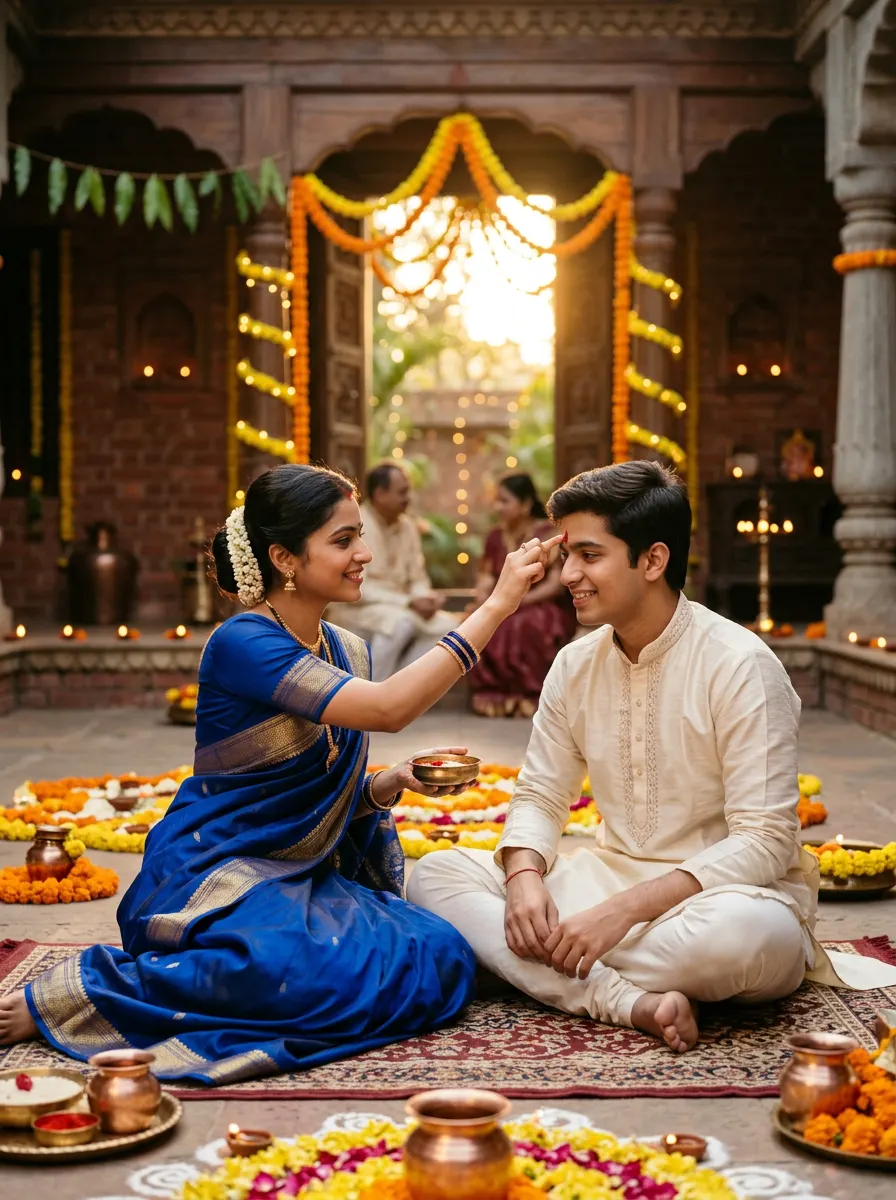
Sample made with this prompt in Gemini.
Using my uploaded photo as the reference, keep my face and features exactly the same, depicting me as a young Indian sister in a royal blue silk saree, gently applying a red vermilion tikka on my younger brother's forehead. He wears an elegant cream-colored kurta-pyjama. We are sitting on the decorated floor of a traditional Indian home courtyard adorned with fresh marigold garlands and clay diyas. Warm golden hour sunlight filters in. Shot on 85mm lens, f/1.8, shallow depth of field, rich cinematic colors, emotional and festive mood, aspect ratio 3:4.
Tip: Choose a reference photo with clear lighting and a soft smile to match the warm, emotional tone of this festive prompt.
2. Modern Living Room Gift Exchange
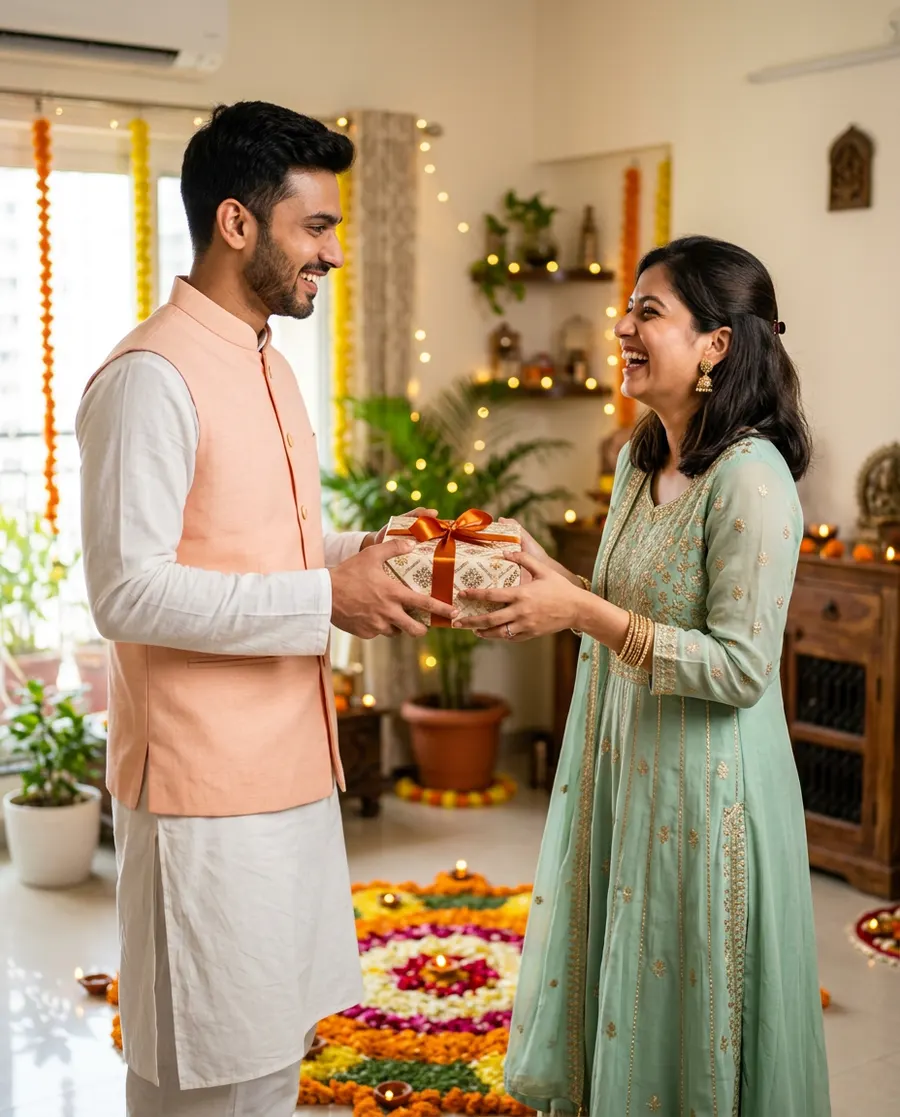
Sample made with this prompt in Gemini.
Using my uploaded photo as the reference, keep my face and features exactly the same, depicting me as a young Indian brother in a pastel peach Nehru jacket over a white kurta, joyfully handing a beautifully wrapped gift box to my older sister. She wears an elegant mint-green anarkali suit and laughs happily. We are in a modern, brightly lit Indian living room decorated with fairy lights and a floral rangoli on the floor. Shot on 50mm lens, f/2.0, vibrant color grading, cheerful festive mood, aspect ratio 4:5.
Tip: For the best results, use a high-quality front-facing photo where your face is clearly visible without any harsh shadows.
3. Sweet Feeding Festive Moment
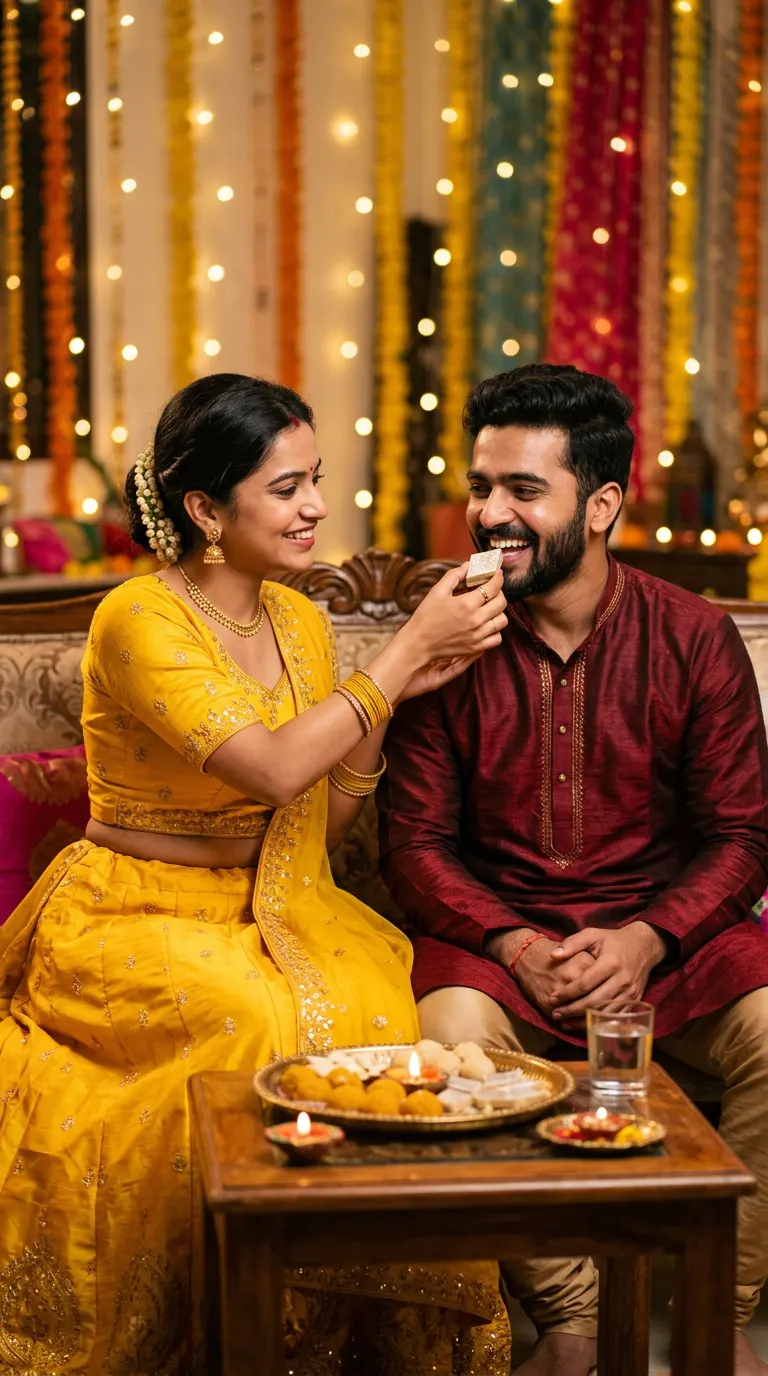
Sample made with this prompt in Gemini.
Using my uploaded photo as the reference, keep my face and features exactly the same, depicting me as a young Indian sister in a bright yellow lehenga, lovingly feeding a sweet kaju katli to my brother. He is wearing a maroon silk kurta and smiles warmly. The background is a cozy, decorated indoor setting with soft bokeh of warm fairy lights and a brass thali with sweets and a diya nearby. Shot on 105mm macro-portrait lens, f/1.4, cinematic lighting, nostalgic and loving mood, aspect ratio 9:16.
Tip: Crop your reference photo closely to your face before uploading to help the AI map your features more accurately.
4. Outdoor Garden Blessing Ceremony
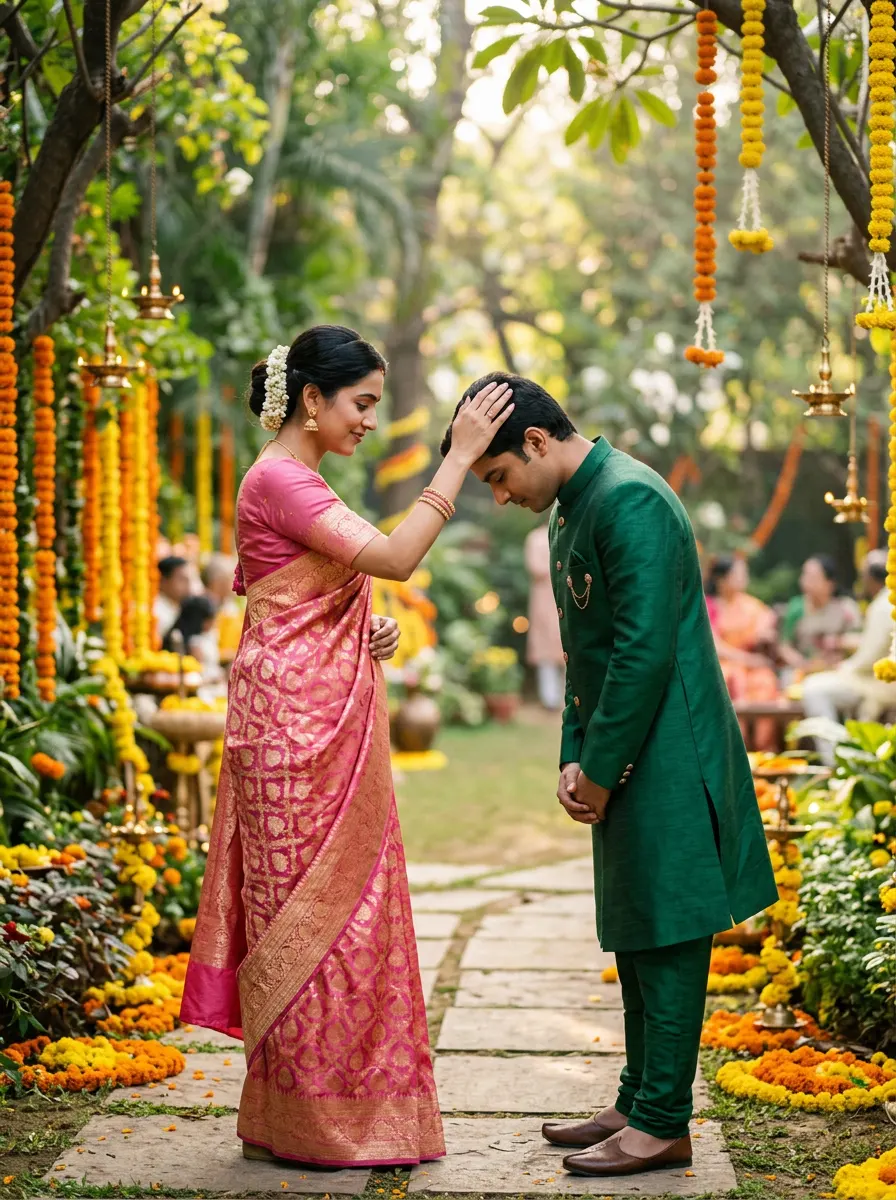
Sample made with this prompt in Gemini.
Using my uploaded photo as the reference, keep my face and features exactly the same, depicting me as a young Indian brother bowing my head slightly as my sister gently touches my head to bless me. She is wearing a gorgeous pink banarasi saree and I am wearing an elegant emerald-green bandhgala suit. We are in a lush green backyard garden decorated with hanging marigold strings and brass lamps. Soft natural morning sunlight, 85mm lens, f/1.8, cinematic and serene mood, aspect ratio 3:4.
Tip: Ensure your reference photo has neutral expressions so the AI can easily blend it into a serene, emotional blessing pose.
Frequently asked questions
Can I generate these images for free?
Yes, many AI tools like Bing Image Creator and Remaker AI offer free daily credits to generate and edit these photos.
Will the AI make my face look natural?
Using a high-quality, front-facing reference photo with good lighting will ensure the AI keeps your face looking realistic and natural.
Which AI tool is best for face-swapping?
Tools like Remaker AI, Miocreate, or specialized face-swap Discord bots are excellent for swapping faces into these generated templates.